
 Need help?
Do you have a question about the OHAUS CS 200 and is the answer not in the manual?
When the scale is turned on, all display segments will appear for approximately 3 seconds before resetting to zero.
On the display, a star indicator will appear in the lower left corner when a stable reading has been reached.
On the display, either lb oz, oz, or g will appear indicating the weight unit selected.
If the applied load exceeds capacity, an E will appear and the load should be removed.
Values can progressively be added to a sample. Pressing On/Off Zero returns display to zero.
Pressing this button turns on the scale and operates the zero feature. Press and hold for three seconds to turn off.
Press briefly to change weighing unit. Press and hold to begin calibration process.
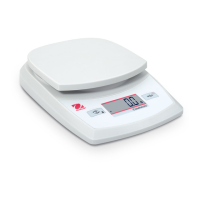
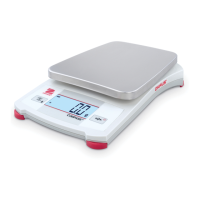
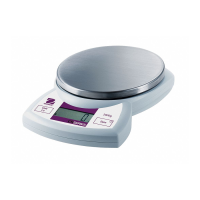
The Ohaus Compact Scales, including models CS 200, CS 2000, and CS 5000, are designed for mass measurement with varying capacities and readabilities. These scales are intended for general use in environments where accurate and stable weight readings are required.
The primary function of these scales is to accurately measure mass. They are equipped with a digital display that shows the weight in selected units. The scales feature a two-button keypad for operation, allowing users to turn the device on and off, zero the display, and change weighing units.
Battery Installation and AC Adapter Operation: The scales are powered by three AA size alkaline batteries, which are provided. To install, the battery cover on the bottom of the scale is removed, batteries are placed in the compartment, and the cover is re-inserted. Users are cautioned against using excessive force or pressing the weighing pan during battery installation. For continuous operation, AC power adapters are available as optional accessories. The AC adapter connects to a power input jack at the rear of the scale and plugs into a grounded wall outlet.
Power Up Test: Upon turning on the scale, all display segments illuminate for approximately 3 seconds before resetting to zero, indicating a successful power-up sequence.
Stable Reading Indication: A star indicator appears in the lower left corner of the display when a stable weight reading has been achieved, ensuring reliability of the measurement.
Weight Unit Indication: The display clearly shows the selected weight unit, which can be pound-ounces (lb oz), ounces (oz), or grams (g). Users can cycle through these units by briefly pressing the Unit/Cal button.
Overload Protection: If the applied load exceeds the scale's capacity, an "E" will appear on the display, signaling an overload condition. In such cases, the load should be removed immediately to prevent damage. The scale is designed to return to normal operation once the overload is cleared.
Zero Function: This feature allows users to progressively add samples to the scale. By pressing the On/Off Zero button, the scale display returns to zero, effectively taring the current weight. Additional mass can then be added, and the scale can be re-zeroed repeatedly up to its maximum capacity. This is particularly useful for measuring multiple components of a mixture or for sequential additions.
Negative Value Display: When a load that has been zeroed is removed from the scale, the display will show a negative number. To return to normal operation and clear the negative value, the On/Off Zero button should be pressed.
Low Battery Indication: The display will show "Lo" when the batteries are weak, indicating that they need to be replaced to ensure continued accurate operation.
Auto Shut-Off: To conserve battery life, the scale is equipped with an auto shut-off feature. If no button is pressed or no active weighing is occurring for approximately five minutes, the scale will automatically turn off. This feature is active only when operating on battery power.
Gentle Loading: For optimal performance and longevity, users are advised to load items gently onto the center of the weighing pan. Rough treatment should be avoided to extend the life of the compact scale.
Calibration: Regular calibration is crucial for maintaining the accuracy of the scale, especially if it is used for prolonged periods. The calibration process is initiated by pressing and holding the Unit/Cal button until "CAL" appears on the display. The process involves capturing a zero load signal by pressing On/Off Zero, then placing the appropriate calibration weight on the platform when "C xxx" (where xxx is the calibration weight in grams) is displayed, and finally pressing On/Off Zero again to store the calibration point signal. The display will show "-C-" during the signal storage steps. The calibration process can be aborted at any time by turning the scale off. After successful span capture, the display returns to normal weighing mode. If the calibration steps are not followed correctly or an incorrect weight is used, "CAL E" will appear on the display, indicating a calibration error.
Environmental Considerations: For best accuracy, it is recommended to perform mass measurements in clean environments, free from electrostatic and magnetic fields, dust, dirt, moisture, vibration, and air currents. Using the scale within its specified optimum operating temperature range also contributes to best results.
No Calibration Weights Provided: Users should note that calibration weights are not provided with the scale and must be acquired separately if calibration is required.
 General
| Capacity | 200 g |
|---|---|
| Display | LCD |
| Power Supply | AC Adapter or Batteries |
| Calibration | External Calibration |
| Units of Measurement | g, oz |
| Operating Temperature | 10°C to 40°C |



 To Next Page