SCOUT PRO EN-19
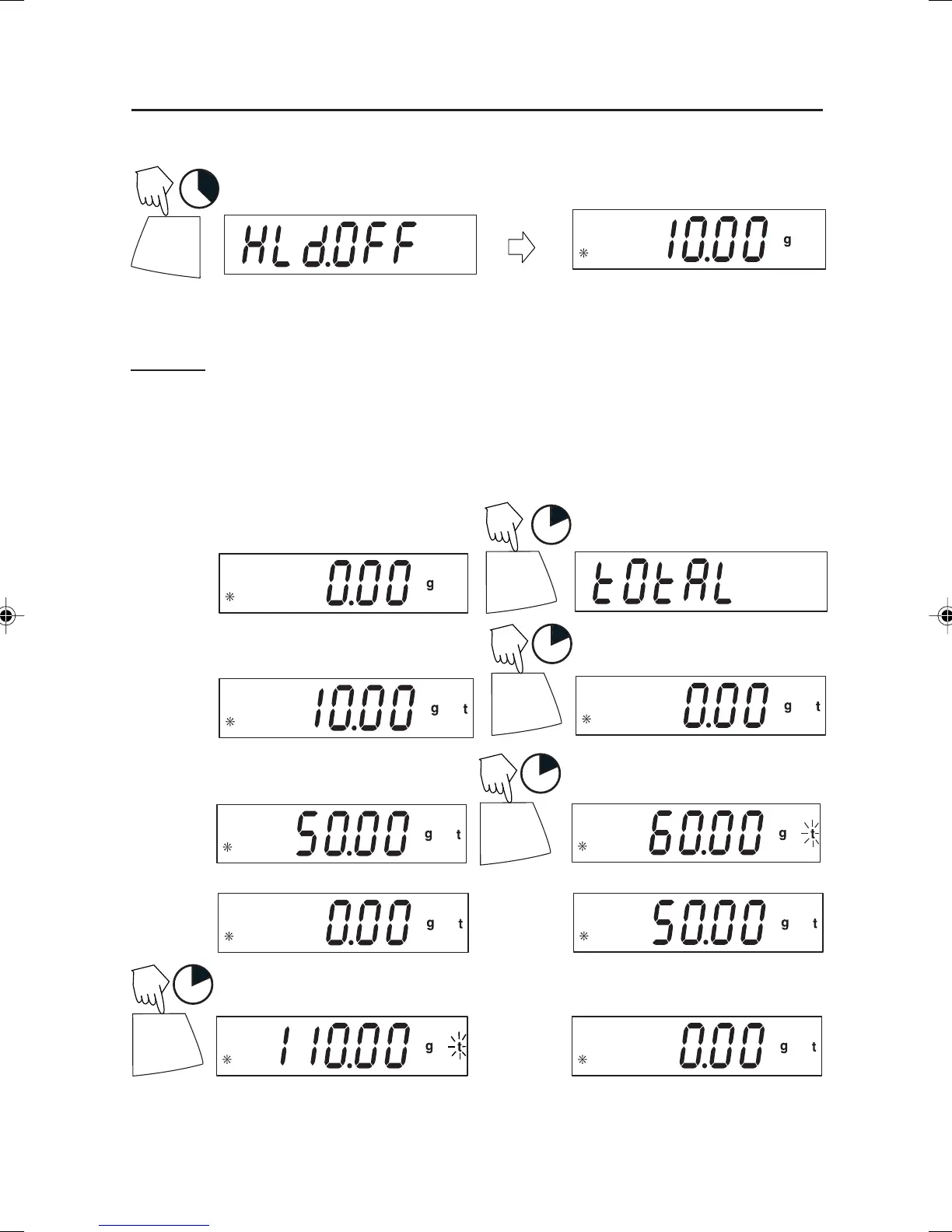
To return to display hold, repeat above procedure.
Exiting Display Hold
(Place 1st weight on platform)
PRINT
Unit
(Remove weight)
1
(Example 10g)
(Place 2nd weight on platform)
(Remove weight) (Place 3rd weight on platform)
PRINT
Unit
1
(Total weight shown)
PRINT
Unit
1
(Total weight shown)
(Remove weight)
Totalize
Totalize is enabled only when Total is turned ON in the Mode submenu in the .S.E.T.U.P.
menu. Totalize allows storage of a series of weight measurements. Totalize mode has
been initiated when t and the current unit, i.e. (g) is displayed. When total weight is
shown, the t indicator will blink. NOTE: Units cannot be changed when in Display-
Hold mode.
PRINT
Unit
1
Total weight will remain on the display until weight is removed. The total weight remains
in memory. Total is limited to 999999.
3
ON/ZERO
Off
5 Scout Pro English Operation 2 71160417.p65 3/6/2003, 11:01 AM19



 To Next Page