Valor
TM
1000 Series EN-3
WARNING: Only charge the battery when the ambient temperature is between 0 and
140 °F / 0 and 40 °C.
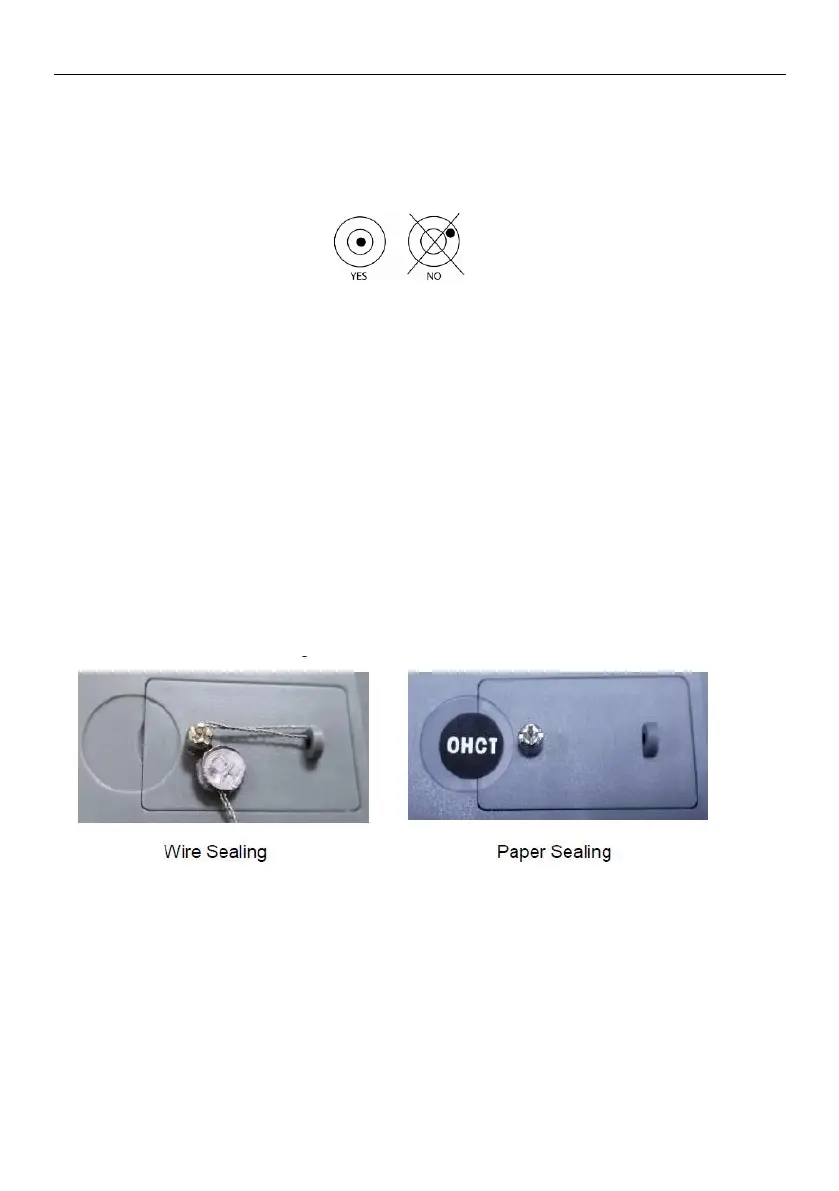
2.5 Levelling the Instrument
To level the instrument, adjust the feet/leveling wheel so the bubble is centered in the circle
of the level indicator. Be sure the equipment is level each time its location is changed.
2.6 Initial Calibration
For best results, the instrument's calibration should be checked prior to first use. If
adjustment is needed, refer to the Calibration section of the instruction manual.
* Calibration is not permitted in some regions or when the scale is in Approved mode.
2.7 Unit Setting
To change the weighing unit, long press Tare/Menu until the display shows "C.A.L" or
"L.I.G.H.t". Then quick press No until the display shows "U.N.I.t". Quick press Yes to
enter the Unit submenu. The display will show the current unit in the upper right hand
corner. Quick press No to change the unit, and then press Yes to accept the unit you want
and exit the Unit submenu. Press No until the display shows "EnD", then press Yes to exit
to weighing.
2.8 Sealing (for approved T models)
For Legal for Trade settings, please refer to LEGAL FOR TRADE section in Valor 1000
user manual for instruction.
After the scale has been verified, use the attaching sealing package for the sealing.





 To Next Page