ML390/391 Turbo Printer Handbook 57
Clearing Paper Jams
Caution!
Always turn the printer off before you turn the platen knob!
Rear Feed Jams
To clear a rear-feed paper jam:
1. Turn off printer
2. Turn platen knob to back paper out of printer. Remove any ripped pieces of paper.
3. Reload paper, turn printer back on and press FF/LOAD button.
If your paper keeps jamming, the chances are excellent that you have bits of paper
stuck in the paper path. To eliminate this problem:
1. Turn off printer.
2. Use platen knob to back paper out of
printer.
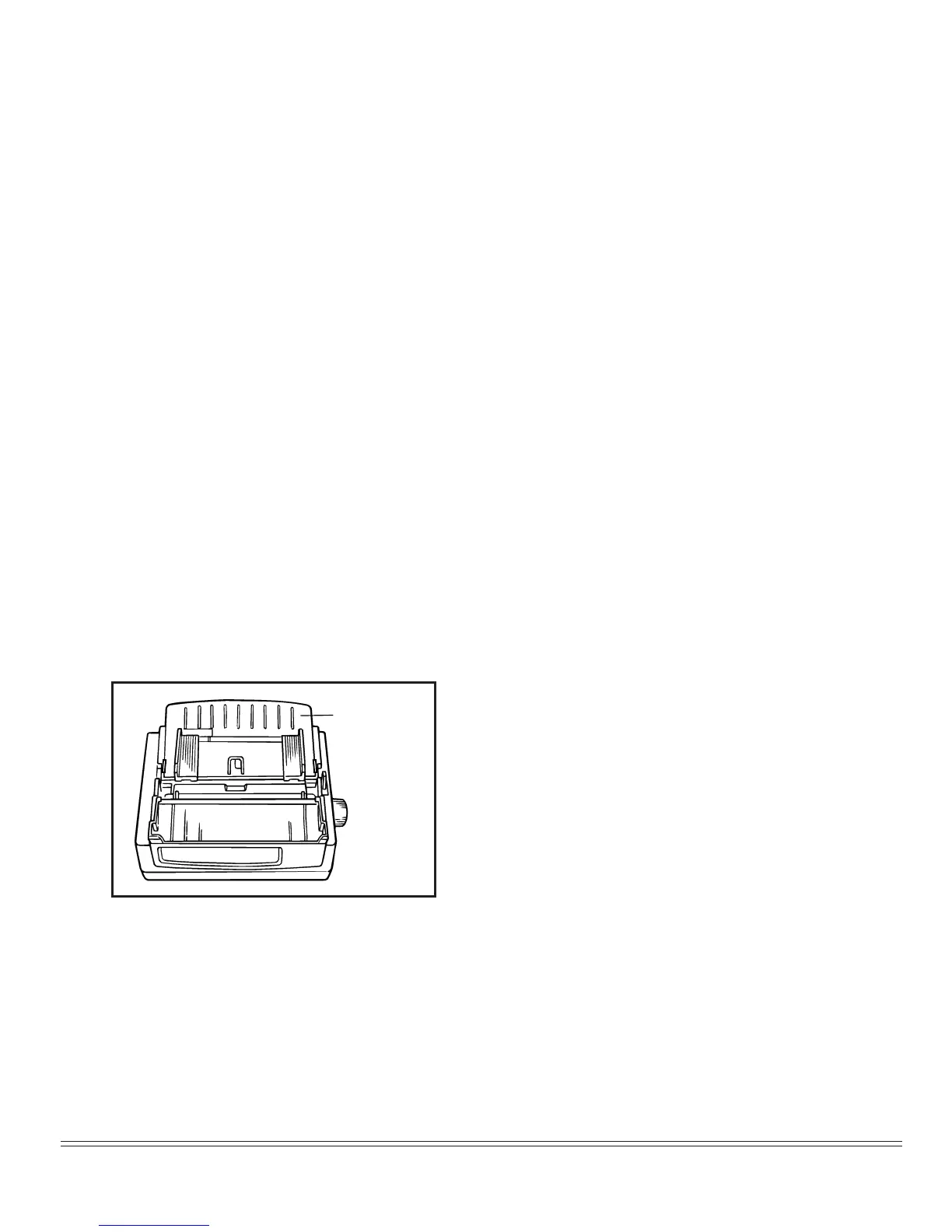
3. Remove the paper separator.
Remove
paper
separator


 To Next Page