ML390/391 Turbo Printer Handbook 61
Cleaning the Housing
You should clean the printer every six months (or after about 300 hours of operation).
To do this:
1. Turn printer OFF and remove paper
from path.
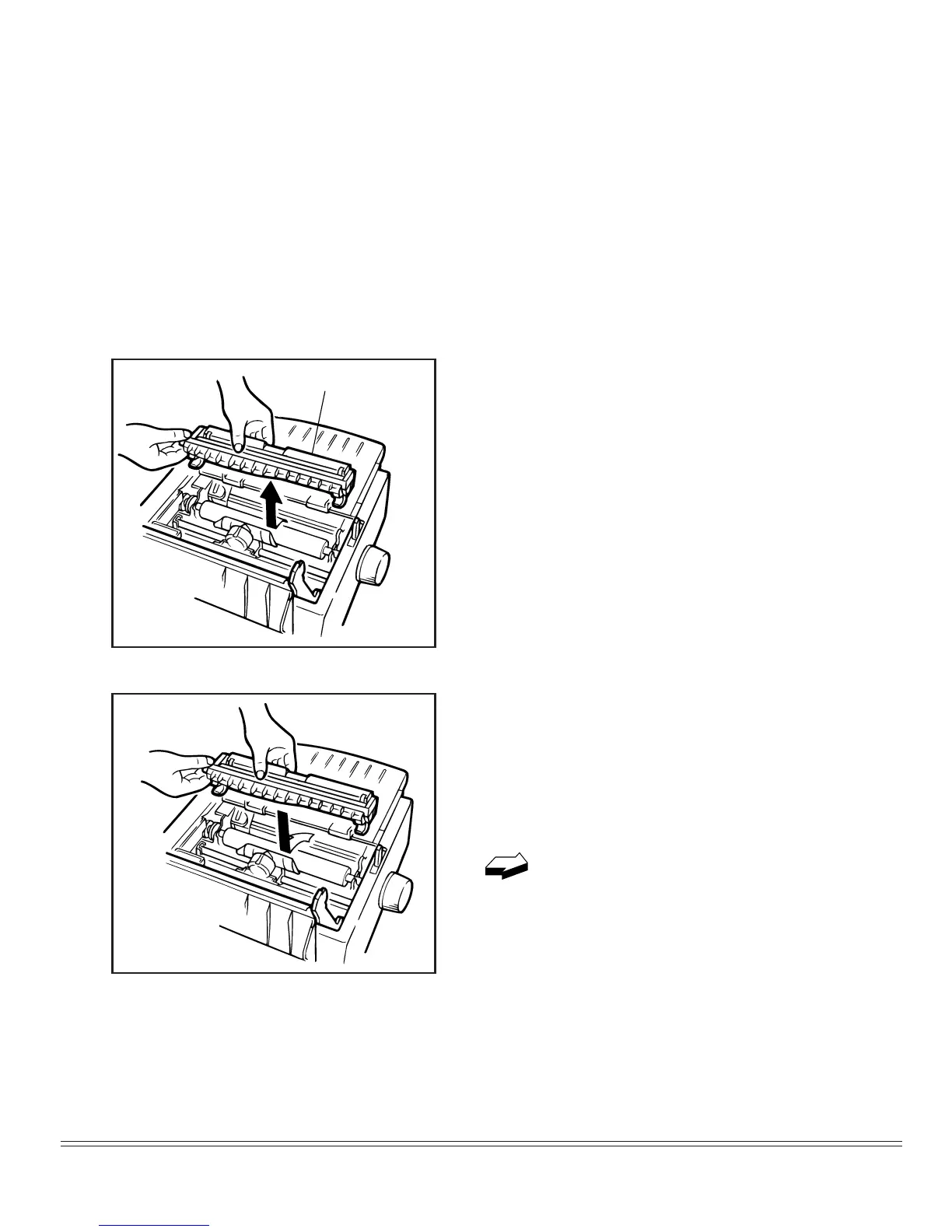
2. Open access cover and remove pull-up
roller assembly.
3. Use clean, dry cloth to dust area around
carriage shaft and platen. Be sure to re-
move any loose particles of paper.
Note: The built-up of dust or paper powder in
the printer, which may be occurred by some
environmental settings or media used, may
cause a mulfunction, so execute cleaning ac-
cording to how the printer is dirty.
Remove pull-up roller
assembly
4. Reinstall pull-up roller assembly and
close access cover.
Note: When installing a pull-up roller assem-
bly, Shift the paper lever in agreement with
the “Rear” mark before the installation.
Never use solvents or strong deter-
gents on the cabinet–they could
damage the housing.


 To Next Page