29
Dial Directories
One-Touch Keys
Programming One-Touch Keys
Your fax machine has 40 One-Touch keys for rapid dialing. You
can store up to two fax numbers with 40 digits on each One-
Touch key, a main number and an alternate number. The alternate
number is used if the main number is busy or does not answer.
You can also enter a 15 character Location ID (name) for each
One-Touch key or an email address. Refer to “Email Using OT
Key” on page 95 for further details.
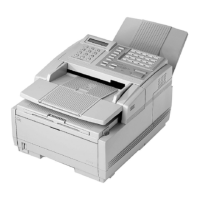
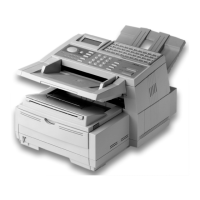
Note: To program or use One-
Touch keys 21 to 40, grasp
the One-Touch keypad
latch and swing the main
One-Touch panel up and
to the right. You can then
select from One-Touch
keys 21 to 40. When you
are finished, close the
One-Touch keypad to
continue.
To fin d On e- Touch keys
which are not yet programmed, you may repeatedly press
the Search key in Step 2 below. If all your One-Touch keys
are programmed, searching automatically looks for the
first unassigned Auto Dial number.
1. Press the Select Function key, then press the 8/Location
Prog.
One-Touch key. The display shows LOCATION
PROGRAMMING
.
2. Press a One-Touch key to program and the display briefly
shows
NO=<FAX NO.>, ID=<LOCATION ID> or a previously-
programmed fax number and Location ID.
3. Enter the main fax number as follows:
SELECT
FUNCTION
LOCATION
PROG.
8/MN
L
LOCATION PROGRAMMING
ENTER (SRCH, OT, A/D, #)
To do this Use
Enter Numbers Numeric keypad. Press once for each number
required.
Enter Spaces Space One-Touch key
Enter Hyphens Hyphen One-Touch key


 To Next Page