Need help?
Do you have a question about the Oki C301 and is the answer not in the manual?
Details about the printer manufacturer and the EU importer/authorized representative.
Information related to the printer's environmental impact and compliance.
Clarifies the meaning of NOTE, CAUTION, and WARNING symbols used in the manual.
Lists and briefly describes the various documents included with the printer.
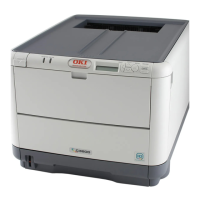
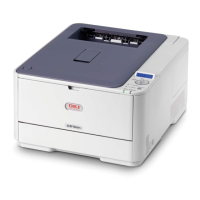
Provides a general overview of the printer's physical components and front view.
Specifications for paper sizes and weights for the cassette trays.
Step-by-step guide for loading paper into the cassette trays.
Directs users to relevant sections based on their specific printer model.
How to adjust print settings from within Windows applications.
Printer settings accessible via the Windows Control Panel's General and Advanced tabs.
How to configure print settings and page orientation on Mac OS X.
Options to improve image quality or save toner during printing.
Discusses factors influencing print quality like color reproduction and viewing conditions.
Identifies and describes the printer's operator panel buttons and their functions.
Step-by-step guide for safely replacing the toner cartridge.
Procedure for cleaning the printer's exterior casing.
Instructions for cleaning the printer's LED head.
Details on upgrading printer memory capacity for specific models.
How to configure printer driver options in Windows for new hardware.
How to configure printer driver options in Mac OS X for new hardware.
Identifies key printer parts and the paper's path through the machine.
Step-by-step guide on how to safely remove paper jams from the printer.
Details about the printer manufacturer and the EU importer/authorized representative.
Information related to the printer's environmental impact and compliance.
Clarifies the meaning of NOTE, CAUTION, and WARNING symbols used in the manual.
Lists and briefly describes the various documents included with the printer.
Provides a general overview of the printer's physical components and front view.
Specifications for paper sizes and weights for the cassette trays.
Step-by-step guide for loading paper into the cassette trays.
Directs users to relevant sections based on their specific printer model.
How to adjust print settings from within Windows applications.
Printer settings accessible via the Windows Control Panel's General and Advanced tabs.
How to configure print settings and page orientation on Mac OS X.
Options to improve image quality or save toner during printing.
Discusses factors influencing print quality like color reproduction and viewing conditions.
Identifies and describes the printer's operator panel buttons and their functions.
Step-by-step guide for safely replacing the toner cartridge.
Procedure for cleaning the printer's exterior casing.
Instructions for cleaning the printer's LED head.
Details on upgrading printer memory capacity for specific models.
How to configure printer driver options in Windows for new hardware.
How to configure printer driver options in Mac OS X for new hardware.
Identifies key printer parts and the paper's path through the machine.
Step-by-step guide on how to safely remove paper jams from the printer.


 To Next Page

 General