EasyManua.ls Logo

Oki c332 - User Manual

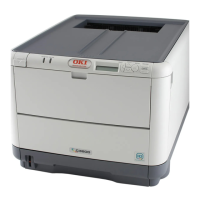
Oki c332
73 pages
Print Icon
To Next Page IconTo Next Page
Loading...
User’s Guide
C332

Questions and Answers

  • I
    Ian WilliamsAug 6, 2025
    Why is my Oki c332 printing light?
    • P
      Paula PowellAug 7, 2025
      There are several reasons why your Oki Printer might be printing light. It could be that the toner cartridge is not properly seated, so try reinstalling it. The toner may be low; open the output tray and tap the cartridge a few times to evenly distribute any remaining toner, and if the issue persists, replace the toner cartridge. The paper might be moist, so use paper stored in proper temperature and humidity conditions. Ensure the paper is suitable for the printer unit by using recommended paper. Also, the thickness and type of paper may be inappropriate, so set the correct value of media type and media weight in the Media menu or set one value thicker for media weight. Finally, if you're using recycled paper, set one value thicker for media weight in the Media menu.
  • J
    Jonathan WhiteAug 15, 2025
    How to fix vertical white lines on Oki c332 prints?
    • B
      bateseddieAug 15, 2025
      Vertical white lines on printed pages from your Oki Printer can occur for several reasons. The LED head may be dirty, so wipe it with a soft, lint-free cloth. The toner could be low; open the output tray and tap the cartridge a few times to evenly distribute any remaining toner, and if the issue continues, replace the toner cartridge. Foreign materials may be present in the image drum, requiring you to replace the image drum cartridge. Lastly, the light-shielding film of the image drum cartridge might be dirty, so wipe the film with a soft, lint-free cloth.
  • C
    courtney33Oct 26, 2025
    How to fix paper jam in Oki c332?
    • A
      Amber AlexanderOct 26, 2025
      If a sheet is well advanced out of the top of the printer, grip it and pull gently to draw it fully out. You can also press the cover release and open the printer’s output tray fully. Lift the image drum assembly, complete with the toner cartridges, up and out of the printer. Look into the printer to check whether any sheets of paper are visible on any part of the belt unit. To remove a sheet with its leading edge at the front of the belt, lift the plastic guard at the front of the printer, then carefully lift the sheet from the belt and pull it forwards into the internal drum cavity. To remove a sheet from the central area of the belt, carefully separate the sheet from the belt surface and withdraw the sheet. To remove a sheet just entering the fuser, separate the trailing edge of the she...

Summary

Notes, Cautions, and Warnings

Paper Recommendations

Loading Paper

Operation and Menu Functions

Administrator Settings Management

Guides administrators on modifying settings and security features.

Network Setup Configuration

Details settings for the printer's network interface and protocols.

Administrator Password Management

Instructions for setting or changing the administrator password.

Maintenance and Replacements

Toner Cartridge Replacement Procedure

Detailed steps for removing and installing toner cartridges.

Transfer Belt Unit Replacement

Step-by-step instructions for replacing the transfer belt unit.

Fuser Unit Replacement

Detailed steps for safely replacing the fuser unit.

Installing Upgrades

Troubleshooting

Paper Sensor Error Code Reference

Lists error codes related to paper sensors and their locations.

Clearing Paper Jams from Printer Paths

Comprehensive steps to remove paper jams from all printer paths.

Addressing Unsatisfactory Print Quality

Addresses common printing quality issues and their solutions.

Oki c332 Specifications

General IconGeneral
Print TechnologyLED
Monthly Duty Cycle45, 000 pages
Standard Input Capacity250 sheets
Maximum Input Capacity880 sheets
Operating Systems SupportedWindows, Mac OS, Linux
Weight22 kg
InterfaceUSB 2.0, Ethernet

Videos

How to refill OKI C332, C332dn, C332dnw, MC363, MC363dn and MC363dnw laser printers

Related product manuals