58367606
Repack Procedure
What You Need
• all original packing materials
• all original printer components
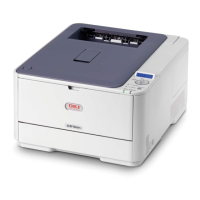
APrinter
BCDs
C Light shield bags
D Image drums (with toner cartridges
installed)
E Power cable
F LED lens cleaner
G Manuals (not shown)
Repack
Note: The toner cartridges remain
installed in the image drums!
1. Remove the black image drum (with
the toner cartridge installed).
2. Place the assembly into a light-safe
bag.
The light shield bags are in the bag
with the documents.
3. Fold the light shield bag over once.
4. Reinstall into the printer.
5. Repeat steps 1 through 4 for each
image drum and toner assembly.
Note: Be sure all image drums and toner
cartridges are enclosed in the bags
before you close the printer.
Packing Materials
Repack the printer as shown.
Important: Proper repacking is critical to the safe return of this product.
Please follow indications on foam for proper placement!
Note: Illustrations and components are representative only.
Your unit may differ slightly from those pictured in this
document.
For questions or to order packing materials
Call 1-800-OKI-DATA (1-800-654-3282)
F
A
E
D
C
B





 To Next Page