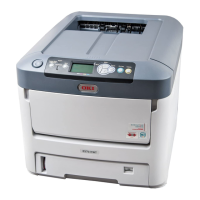
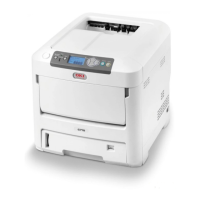
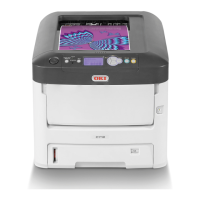
This document serves as a comprehensive setup manual for the OKI C712dn-b Ballot Printer, specifically designed for ballot printing applications. It outlines two distinct methods for configuring the printer: manual setup via the device's control panel and automated setup using the Ballot Configuration Tool. The manual emphasizes the importance of proper initial setup to ensure accurate and reliable ballot printing.
Before initiating any configuration, users are instructed to install the Extended 2nd Paper Tray, which is designed to accommodate 19-inch ballots. This accessory is crucial for the printer's intended use in ballot production. Following the physical installation, the device must be powered on. A critical preliminary step involves printing the Configuration pages. This is achieved by navigating through the printer's menu: "Print Information" followed by "Configuration" and then "Execute." These pages provide vital information about the printer's current status and settings, including the serial number and the existing configuration of Tray 2. Users are advised to note down the serial number as it may be required for inquiries or support.
For manual configuration, the process begins by accessing the "Menus" option on the device's control panel, then proceeding to "Tray Configuration" and finally "Tray 2 Config." The first step in this manual process is to change the "Paper Size" setting for Tray 2 from "Cassette Size" to "Custom." Once "Custom" is selected, the user must then define the dimensions of the custom paper size. The "Y Dimension" is to be set to "19.0 inch," and the "X Dimension" is to be set to "8.5 inch." After these dimensions are entered, the manual configuration for Tray 2 is complete. This method provides direct control over the printer's settings through its integrated interface.
Alternatively, for a more streamlined approach, the Ballot Configuration Tool can be utilized. This method requires connecting the printer to a PC via a USB cable. Users must first copy the Data Transmitter module, provided by OKI, to their desktop. The Data Transmitter Tool, identified as "DT.exe," is then launched. Upon launching, the user selects their preferred language and clicks "OK." The next step involves selecting "Open" from the file menu within the Data Transmitter Tool and then choosing the "setup.dtd" file. This file contains the predefined ballot configuration settings.
Once the "setup.dtd" file is loaded, the user must select the "C712-b Configuration" function within the tool. The tool will then search for a USB-connected printer. When the device is found, it should be selected, and the "Send" button clicked to transmit the configuration settings to the printer. A confirmation prompt will appear, and clicking "OK" will initiate the configuration process. During this period, which typically lasts about 10 seconds, users are cautioned not to touch the printer as it applies the new settings. After the configuration is successfully applied, the device will automatically restart (power off and then on) to finalize the changes. This automated reboot signifies the completion of the configuration process using the Ballot Configuration Tool.
Following either the manual or automated configuration, a crucial verification step is required. After the printer reboots and completes its initialization, its status will change to "Ready To Print." At this point, users must once again print the Configuration pages by navigating to "Print Information," "Configuration," and "Execute." The purpose of this step is to confirm that the Tray 2 settings have been correctly applied. The configuration pages should now display "Paper Size: Custom," "X Dimension: 8.5inch," and "Y Dimension: 19.0inch" for Tray 2. If these settings are not reflected, users are instructed to repeat the entire configuration procedure.
The manual emphasizes that the setup is successful only if these specific dimensions and paper type are applied to Tray 2. This meticulous verification ensures that the printer is correctly prepared for ballot printing, minimizing potential errors or misprints. The document concludes by reiterating the importance of accurate setup for optimal performance in ballot printing applications. The C712dn-b, with its specialized tray and configuration options, is designed to meet the precise requirements of ballot production, ensuring that each ballot is printed to the correct specifications. The detailed instructions aim to empower users to confidently set up and maintain their ballot printer for reliable operation.


 To Next Page
 General