EasyManua.ls Logo

Oki MB760dnfax - User Manual

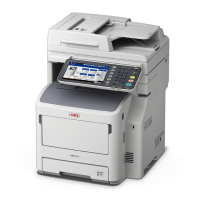
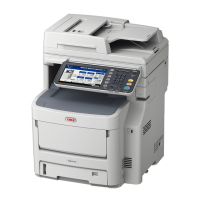
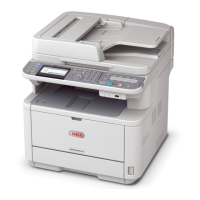
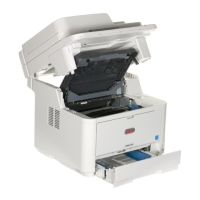
Oki MB760dnfax
83 pages
Print Icon
To Next Page IconTo Next Page
Loading...
Users Manual
Troubleshooting Guide

Table of Contents

Other manuals for Oki MB760dnfax

Questions and Answers

  • M
    Margaret JonesAug 12, 2025
    Why does my Oki Copier say 'READY (TONER NOT RECOGNIZED)'?
    • G
      George ClarkAug 13, 2025
      The 'READY (TONER NOT RECOGNIZED)' message on your Oki Copier indicates that the toner cartridge is either not installed or is improperly installed. To fix this, install the toner cartridge correctly.
  • J
    James TrevinoAug 16, 2025
    What to do if Oki Copier says 'READY (FINISHER FULL)'?
    • H
      Heather ThompsonAug 17, 2025
      If the Oki Copier displays 'READY (FINISHER FULL)', it means the receiving tray of the finisher is full of paper. Remove the paper from the receiving tray to resolve this.
  • L
    Lori JimenezAug 20, 2025
    What to do if there is a paper jam during printing with Oki Copier?
    • C
      Charles SawyerAug 20, 2025
      If a paper jam occurs during printing with your Oki Copier, open the cover indicated by the flashing light and check for and remove the jammed paper.
  • K
    Kristy IrwinAug 25, 2025
    How to fix paper misfeed in Oki Copier?
    • M
      Mitchell YoungAug 25, 2025
      If a paper misfeed occurs inside the Oki Copier, remove the misfed paper by following the instructions displayed on the touch panel.
  • C
    Carla CochranAug 28, 2025
    What to do if Oki Copier displays 'READY (CHECK STAPLER)'?
    • U
      ujohnsonAug 28, 2025
      If your Oki Copier shows 'READY (CHECK STAPLER)', a staple jam has occurred in the finisher's stapler. Remove the jammed staples to clear the error.
  • J
    Jennifer GallagherAug 31, 2025
    What to do if the Oki Copier says 'Check paper size setting on touch panel for tray N'?
    • J
      Joy WattsAug 31, 2025
      This message on your Oki Copier indicates a mismatch between the paper size in tray N and the size registered for tray N in the equipment, causing a paper misfeed. Correctly register the paper size in the equipment. Simply removing the misfed paper will not prevent future misfeeds.
  • M
    Michael MasonSep 4, 2025
    What to do if Oki Copier says 'Cannot print this paper size Select the other tray'?
    • D
      Donna FowlerSep 4, 2025
      If your Oki Copier displays 'Cannot print this paper size Select the other tray', it means the selected tray is not suitable for the paper size you are trying to print. Delete the failed print job, select the appropriate tray for the paper, and try printing again.
  • A
    Andrea LeeSep 8, 2025
    What to do if Oki Copier says 'Cannot print this paper type Set the other paper type'?
    • W
      woodsamanthaSep 8, 2025
      If your Oki Copier displays 'Cannot print this paper type Set the other paper type', it means the selected tray is not suitable for the paper type you are trying to print. Delete the failed print job, select the appropriate tray for the paper, and perform printing again.

Oki MB760dnfax Specifications

General IconGeneral
FunctionalityPrint, Copy, Scan, Fax
Print Resolution1200 x 1200 dpi
Monthly Duty Cycle200, 000 pages
ConnectivityUSB 2.0, 10/100/1000Base-TX Ethernet, Host USB
Duplex PrintingYes
Max Copying Resolution600 x 600 dpi
Duplex CopyingYes
Max Scanning Resolution600 x 600 dpi
Duplex ScanningYes
Fax Transmission Speed33.6 kbps
Scan Resolution600 x 600 dpi
Weight32 kg
Printer TypeLaser
Standard Paper Capacity630 sheets
Operating System CompatibilityWindows, Mac
Printing TypeMonochrome
Paper SizeA4, A5, B5, Letter, Legal

Related product manuals