EasyManua.ls Logo

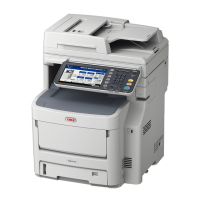
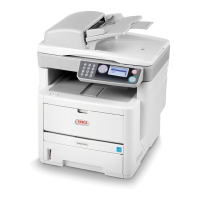
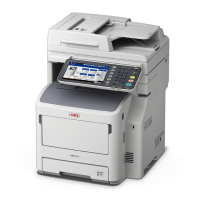
Oki MB770 - Service Manual

Oki MB770
390 pages
Print Icon
To Next Page IconTo Next Page
Loading...
MB760 / MB770
MPS5502
Service Manual
70913A

Table of Contents

Other manuals for Oki MB770

Questions and Answers

  • M
    Marilyn HicksAug 12, 2025
    Why does my Oki Copier say 'READY (TONER NOT RECOGNIZED)'?
    • K
      kmcclureAug 12, 2025
      The 'READY (TONER NOT RECOGNIZED)' message on your Oki Copier indicates that the toner cartridge is either not installed or is improperly installed. To fix this, install the toner cartridge correctly.
  • J
    Jonathon WebsterAug 16, 2025
    What to do if Oki Copier says 'READY (FINISHER FULL)'?
    • T
      Travis HarrisAug 16, 2025
      If the Oki Copier displays 'READY (FINISHER FULL)', it means the receiving tray of the finisher is full of paper. Remove the paper from the receiving tray to resolve this.
  • Y
    yandersonAug 20, 2025
    What to do if there is a paper jam during printing with Oki Copier?
    • M
      matthew35Aug 20, 2025
      If a paper jam occurs during printing with your Oki Copier, open the cover indicated by the flashing light and check for and remove the jammed paper.
  • A
    Alison WarnerAug 25, 2025
    How to fix paper misfeed in Oki Copier?
    • F
      ftorresAug 25, 2025
      If a paper misfeed occurs inside the Oki Copier, remove the misfed paper by following the instructions displayed on the touch panel.
  • K
    Kelly WoodsAug 27, 2025
    What to do if Oki Copier displays 'READY (CHECK STAPLER)'?
    • T
      Theodore JohnsonAug 27, 2025
      If your Oki Copier shows 'READY (CHECK STAPLER)', a staple jam has occurred in the finisher's stapler. Remove the jammed staples to clear the error.
  • G
    Gina MunozAug 31, 2025
    What to do if the Oki Copier says 'Check paper size setting on touch panel for tray N'?
    • R
      Robert EdwardsAug 31, 2025
      This message on your Oki Copier indicates a mismatch between the paper size in tray N and the size registered for tray N in the equipment, causing a paper misfeed. Correctly register the paper size in the equipment. Simply removing the misfed paper will not prevent future misfeeds.
  • H
    Herbert MuellerSep 3, 2025
    What to do if Oki Copier says 'Cannot print this paper size Select the other tray'?
    • F
      farmeroliviaSep 4, 2025
      If your Oki Copier displays 'Cannot print this paper size Select the other tray', it means the selected tray is not suitable for the paper size you are trying to print. Delete the failed print job, select the appropriate tray for the paper, and try printing again.
  • J
    Jordan McconnellSep 7, 2025
    What to do if Oki Copier says 'Cannot print this paper type Set the other paper type'?
    • M
      Monica PearsonSep 7, 2025
      If your Oki Copier displays 'Cannot print this paper type Set the other paper type', it means the selected tray is not suitable for the paper type you are trying to print. Delete the failed print job, select the appropriate tray for the paper, and perform printing again.

Oki MB770 Specifications

General IconGeneral
BrandOki
ModelMB770
CategoryAll in One Printer
LanguageEnglish

Related product manuals