EasyManua.ls Logo

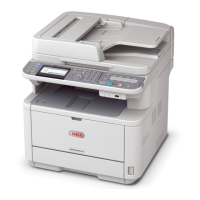
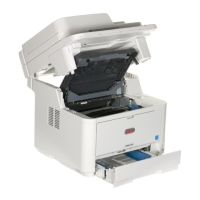
Oki MB460 - User Manual

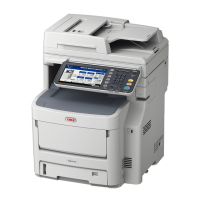
Oki MB460
137 pages
Print Icon
To Next Page IconTo Next Page
Loading...
MB400 Series
MB460
MB470
MB480

Table of Contents

Other manuals for Oki MB460

Questions and Answers

  • E
    Erica ElliottAug 7, 2025
    Why is my Oki MB460 All in One Printer printing light?
    • Q
      qtaylorAug 7, 2025
      If your Oki All in One Printer is printing light, several factors could be the cause: * The toner cartridge might not be properly seated—reinstall it. * The toner may be low—open the top cover and tap the cartridge a few times to evenly distribute any remaining toner. If the issue continues, replace the toner cartridge. * The paper might be moist, or not suitable for the printer. Use paper stored in proper temperature and humidity conditions, or use recommended paper. * The paper settings may be incorrect. Set a proper value for Media Weight and Media Type in the Paper Setup menu, or set one value thicker for Media Weight. Also, if you're using recycled paper, set one value thicker for Media Weight in the Paper Setup menu.
  • K
    Kathleen GonzalesAug 11, 2025
    What to do if my Oki All in One Printer has vertical white lines on the printed page?
    • A
      Amanda ShepherdAug 11, 2025
      If you're seeing vertical white lines on the printed pages from your Oki All in One Printer, it could be due to several reasons: * The LED head might be dirty. Wipe the LED head with a soft, lint-free cloth. * The toner could be low. Open the top cover and tap the cartridge a few times to evenly distribute any remaining toner. If the problem persists, replace the toner cartridge. * There might be foreign materials in the image drum. Replace the image drum cartridge. * The light-shielding film of the image drum cartridge might be dirty. Wipe the film with a soft, lint-free cloth.
  • A
    Alison HoffmanAug 15, 2025
    Why does my Oki MB460 have vertical lines?
    • J
      James HollowayAug 15, 2025
      If your Oki All in One Printer is producing vertical lines, it could be due to: the image drum cartridge being damaged (replace the image drum cartridge), or the toner being low (open the top cover and tap the cartridge a few times to evenly distribute any remaining toner; if symptoms persist, replace the toner cartridge).
  • C
    Cathy BrandtAug 20, 2025
    What to do if documents received are light or have vertical streaks on Oki All in One Printer?
    • N
      Natalie CamposAug 20, 2025
      If documents received are light or have vertical streaks on them using your Oki All in One Printer, lift the top cover and gently wipe the lens surface of the MFP’s LED array. Then check to see if the toner or image drum need replacing.
  • T
    tammy89Aug 25, 2025
    Why does my Oki MB460 have a white area of paper lightly stained?
    • D
      Donna SuttonAug 25, 2025
      If the white area of paper is lightly stained when using your Oki All in One Printer, it could be due to: paper containing static (use paper stored in proper temperature and humidity conditions), using too thick paper (use thinner paper), or the toner being low (open the top cover and tap the cartridge a few times to evenly distribute any remaining toner; if symptoms persist, replace the toner cartridge).
  • S
    Shawn SandersAug 28, 2025
    What to do if Oki All in One Printer is set for delayed transmission but it did not send?
    • B
      Brittany NicholsAug 28, 2025
      If your Oki All in One Printer is set for delayed transmission but it did not send, check the display to make sure that the MFP is set to the correct time and date.
  • A
    Anna YoungSep 2, 2025
    How to dial out on Oki All in One Printer connected to a PBX?
    • J
      Jose LunaSep 2, 2025
      To dial out on your Oki All in One Printer connected to a PBX, be certain that the dial prefix is entered before the telephone number for each number dialled or programmed into the machine. Additionally, the machine must be programmed for PBX operation before it will work with a PBX.

Oki MB460 Specifications

General IconGeneral
Printer TypeLaser
FunctionsPrint, Copy, Scan, Fax
Print Speed (Black)30 ppm
Print Resolution1200 x 1200 dpi
Copy Speed30 cpm
Copy Resolution600 x 600 dpi
Scan Resolution600 x 600 dpi
Scanner TypeFlatbed
Fax Transmission Speed33.6 Kbps
Modem Speed33.6 Kbps
Paper Capacity250 sheets
Standard Output Capacity150 sheets
Maximum Paper SizeA4
Maximum number of copies99 copies
Multi-Purpose tray capacity50 sheets
ConnectivityUSB 2.0, Ethernet
Operating System CompatibilityWindows, Mac, Linux
Warm-up time30 seconds

Related product manuals