III - 8
Section 3 - Chapter 2 - OkiNet for NetWare
OKI OkiLAN 6120e User’s Guide
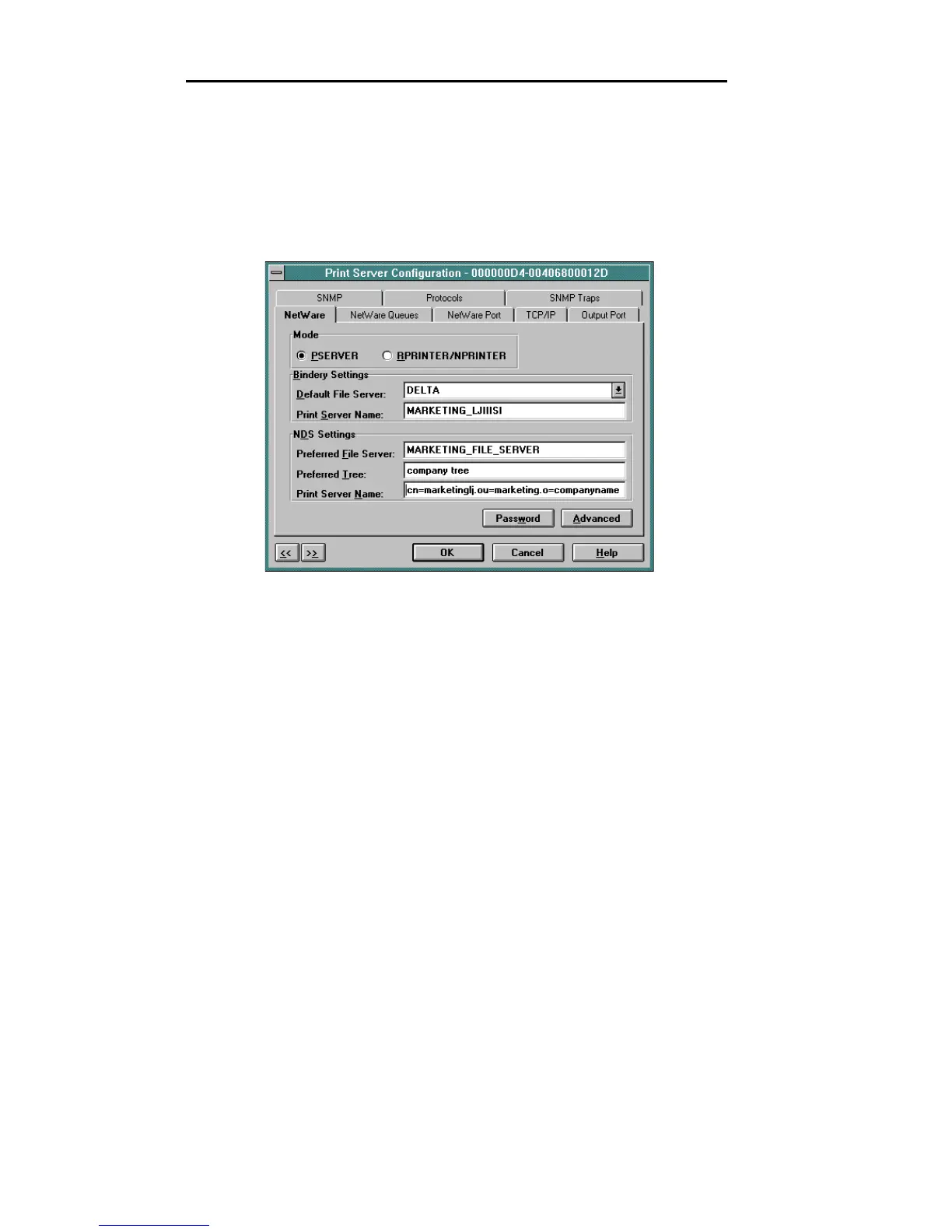
NetWare Configuration Options
To configure options specific to the NetWare protocol,
select the NetWare file tab. The following screen will
display:
PServer or RPrinter Mode
Several factors should be considered when choosing
between PServer or RPrinter mode. For more detailed
information regarding these modes, see page III-5.
Bindery Settings
• Default File Server - The default file server can be
selected from any file server listed in the Default
File Server scroll menu. The default file server must
be active at power up for the OkiLAN 6120e to
recognize other servers.
• Print Server Name - Enter the print server name of
your choice.



 To Next Page