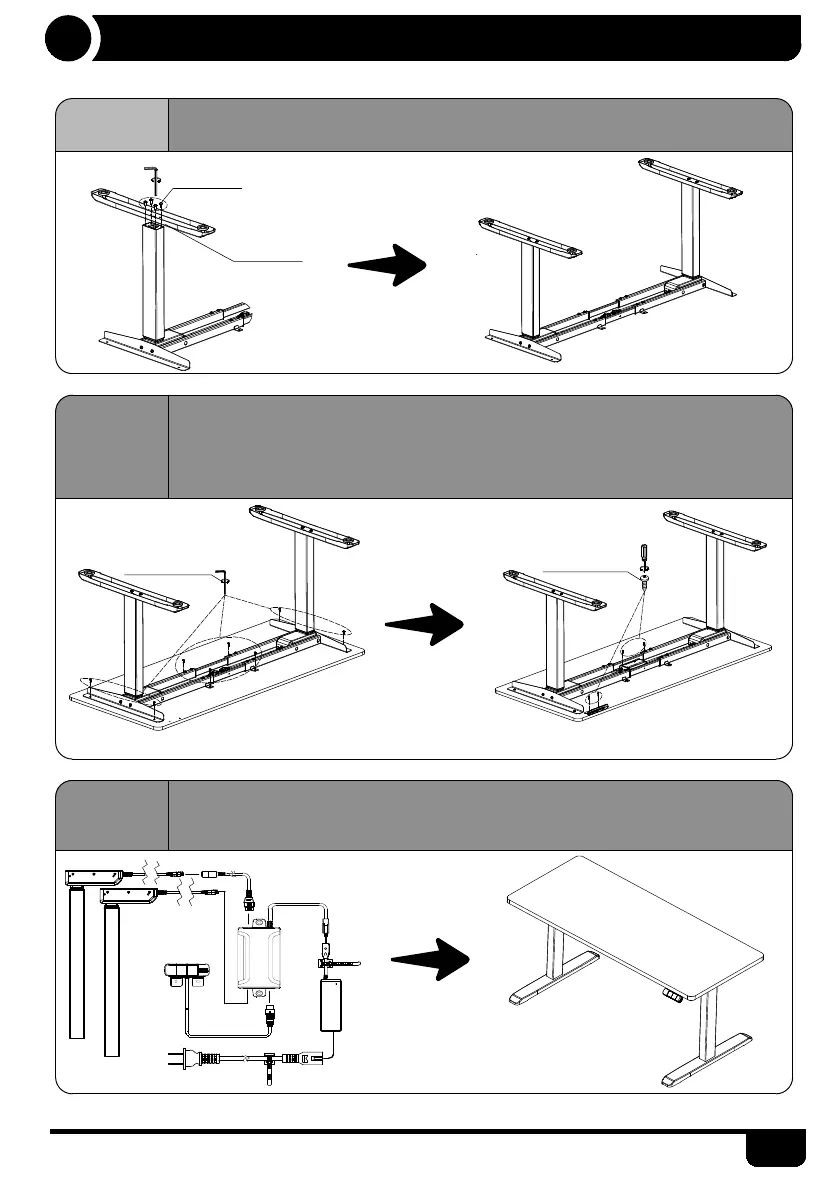
· Tighten the screws for desk feet and columns.
· On the bottom side of the desktop, you may take below diagram as the
reference to install the power cord, power adapter and control box.
· Cables underneath the desktop can be well managed with cable clips.
· Please adjust and leave the side brackets to both edges of the desktop for 2'', then
tighten the screws.
· Please install your control box, extension cable and power cord with screws as
shown below.
Installation Instructions
4
M6*16 screw
M5 allen key
Foot
M6*16 screw
ST3.5*16 screw
M5 allen
key


 To Next Page