18
2 . Operating and Programming / 2. 6 Mopping function
Tips
1 . In order to extend the life of the water tank, we recommend you to use purifi ed water or softened water.
2 . Do not use mopping function on the carpet.
3 . Empty the water tank immediately after fi nishing mopping.
4 . When using the mopping function to clean, please fold up the edge of the carpet to avoid the foreign matters on the mop
contaminating the carpet.
5. During cleaning, please pay attention to it, add water or clean it in time, and remove the water
tank components when adding water.
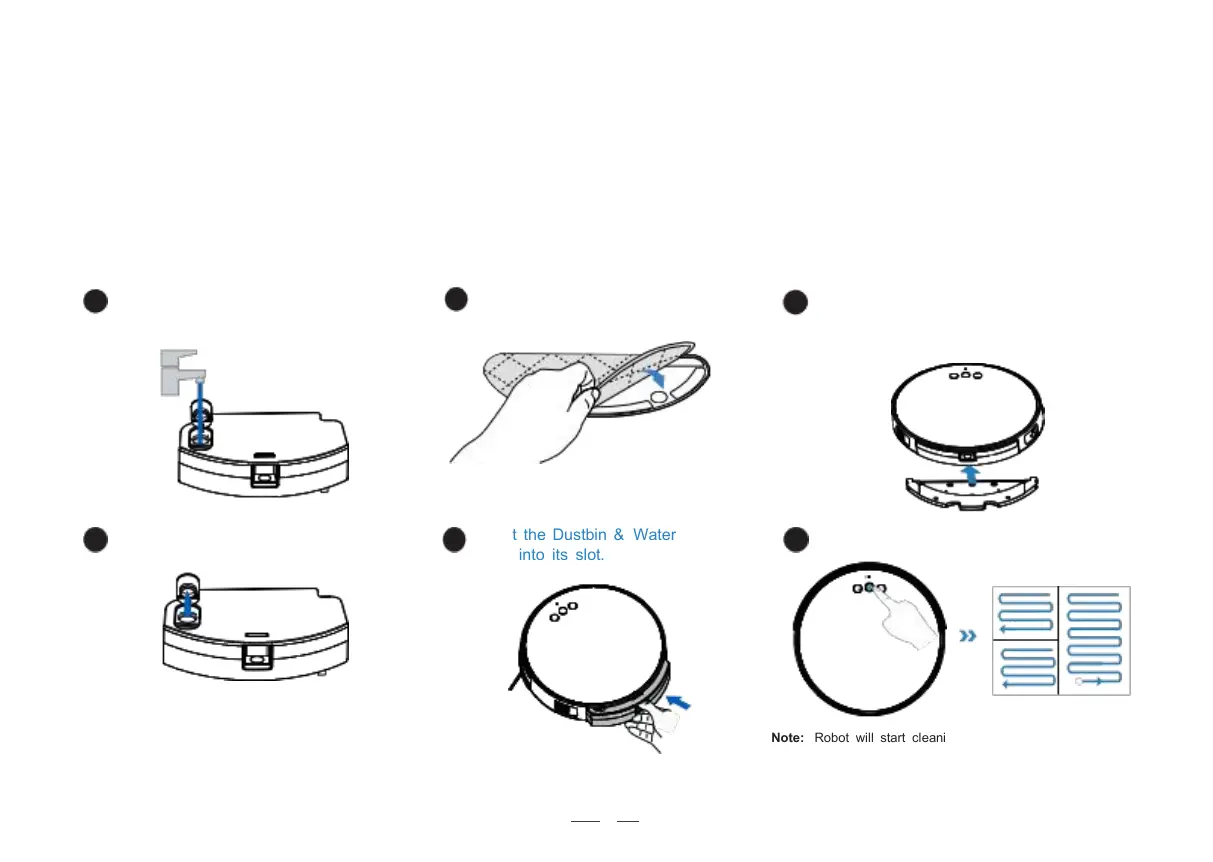
Insert the Dustbin & Water
Tank into its slot.
Note: Robot will start cleaning in Programmed Cleaning Mode
optimized for hard fl oors when cleaning Cloth Plate is installed.
5
Align the center of Cleaning Cloth Plate and
the bottom of Dustbin & Water Tank.
Then push it until it clicks.
Open the water inlet cover and
take enough water.
Stick the Cleaning Cloth onto
the Cleaning Cloth Plate.



 To Next Page