15
3 . Using the product / 3.3 Maintenance
* When cleaning and maintaining the robot and its accessories, please unplug the charging stand.
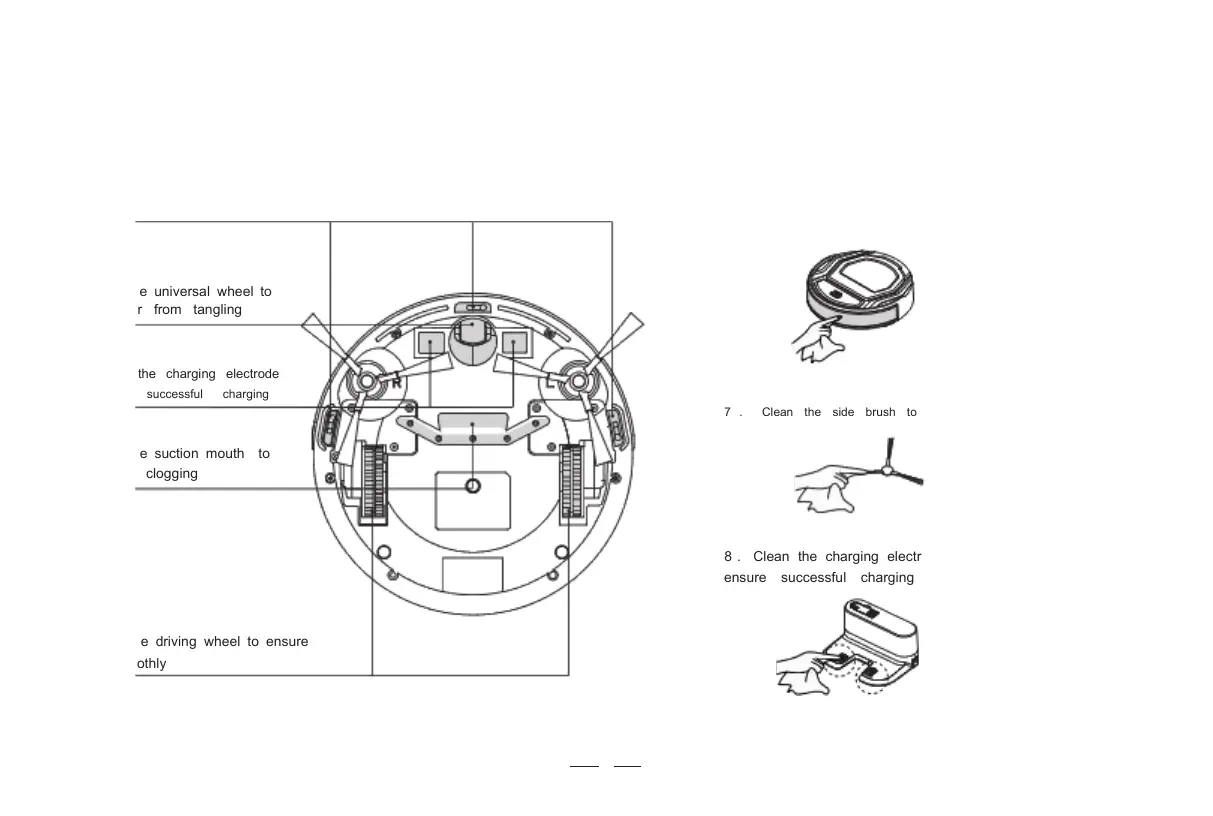
1 . Clean the anti- drop sensor to ensure the sensitivity of the sensor
2 . Clean the universal wheel to
prevent hair from tangling
3 . Clean the charging electrode
to ensure successful charging
7 . Clean the side brush to prevent hair from tangling
4 . Clean the suction mouth to
avoid dust clogging
8 . Clean the charging electrode of the docking station to
ensure successful charging
5 . Clean the driving wheel to ensure
clean smoothly
6 . Clean the Anti- collision sensors to ensure sensitive
obstacle avoidance



 To Next Page