3.Operating and Programming
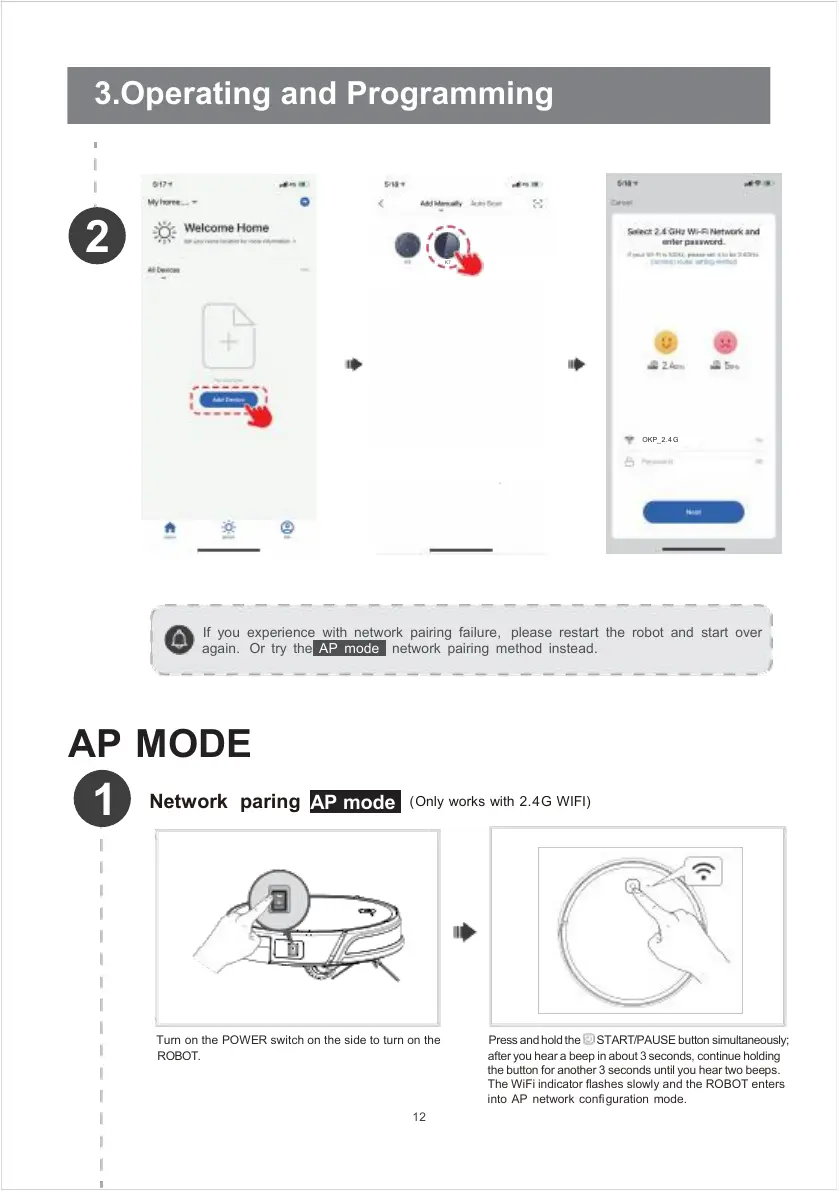
If you experience with network pairing failure, please restart the robot and start over
again. Or try the AP mode network pairing method instead.
AP MODE
Turn on the POWER switch on the side to turn on the
ROBOT.
12
after you hear a beep in about 3 seconds, continue holding
the button for another 3 seconds until you hear two beeps.
The WiFi indicator flashes slowly and the ROBOT enters
into AP network configuration mode.
Press and hold the START/PAUSE button simultaneously;
(Only works with 2.4G WIFI)



 To Next Page