EasyManua.ls Logo

OKP K7 - Page 15

OKP K7
17 pages
Print Icon
To Next Page IconTo Next Page
To Previous Page IconTo Previous Page
Loading...
3.Operating and Programming
2
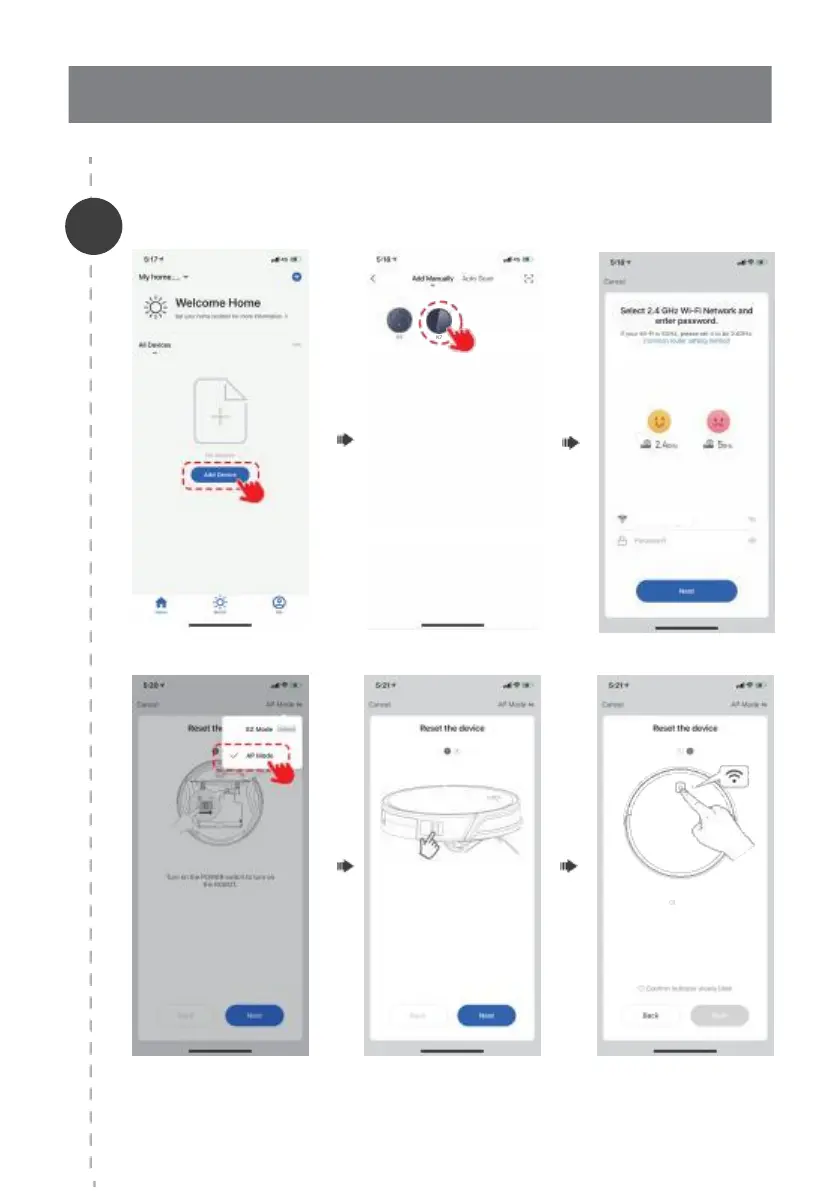
OKP_2.4 G
Turn on the POWER switch on the side to turn on
the ROBOT.
13
Press and hold the START/PAUSE button
simultaneously; after you hear a beep in about 3
seconds, continue holding the button for another 3
seconds until you hear two beeps.
The WiFi indicator ashes slowly and the ROBOT
enters into AP network confi guration mode.

Add Manually- Wi-Fi-AP Mode
K7

Related product manuals