EasyManua.ls Logo

Okuma OSP-U100M - Page 198

Okuma OSP-U100M
511 pages
Print Icon
To Next Page IconTo Next Page
To Previous Page IconTo Previous Page
Loading...
4203-E
P-177
SECTION
1
DATA
SETTING
Setting:
I
TOOL
DATA
SET
N
1
I
&
7/07/1
5
1
4
:
1
0
:
00
*
POT
NO./
TOOL
NO.
TABLE
*
POT
TOOL
NO.
NO.
POT
TOOL
NO.
NO.
11
011
12
012
13
013
14
014
15
0
i
5
16
016
17
017
18
018
19
019
20
NA
POT
TOOL
POT
TOOL
NO.
NO.
NO.
NO.
1
001
21
NA
22
022
23
023
24
024
25
025
26
026
27
027
28
028
29
029
30
030
:SPCY
POT
:ACT
TOOL
:NXT
TOOL
NA
2
002
020
3
003
007
4
004
5
005
IMAGAZINE
10
6
006
7
007
8
008
9
009
IQlofn
ITEM
i.
[EXTEND]
SET
SEARCH
ITEM
T
©©©©©©©©
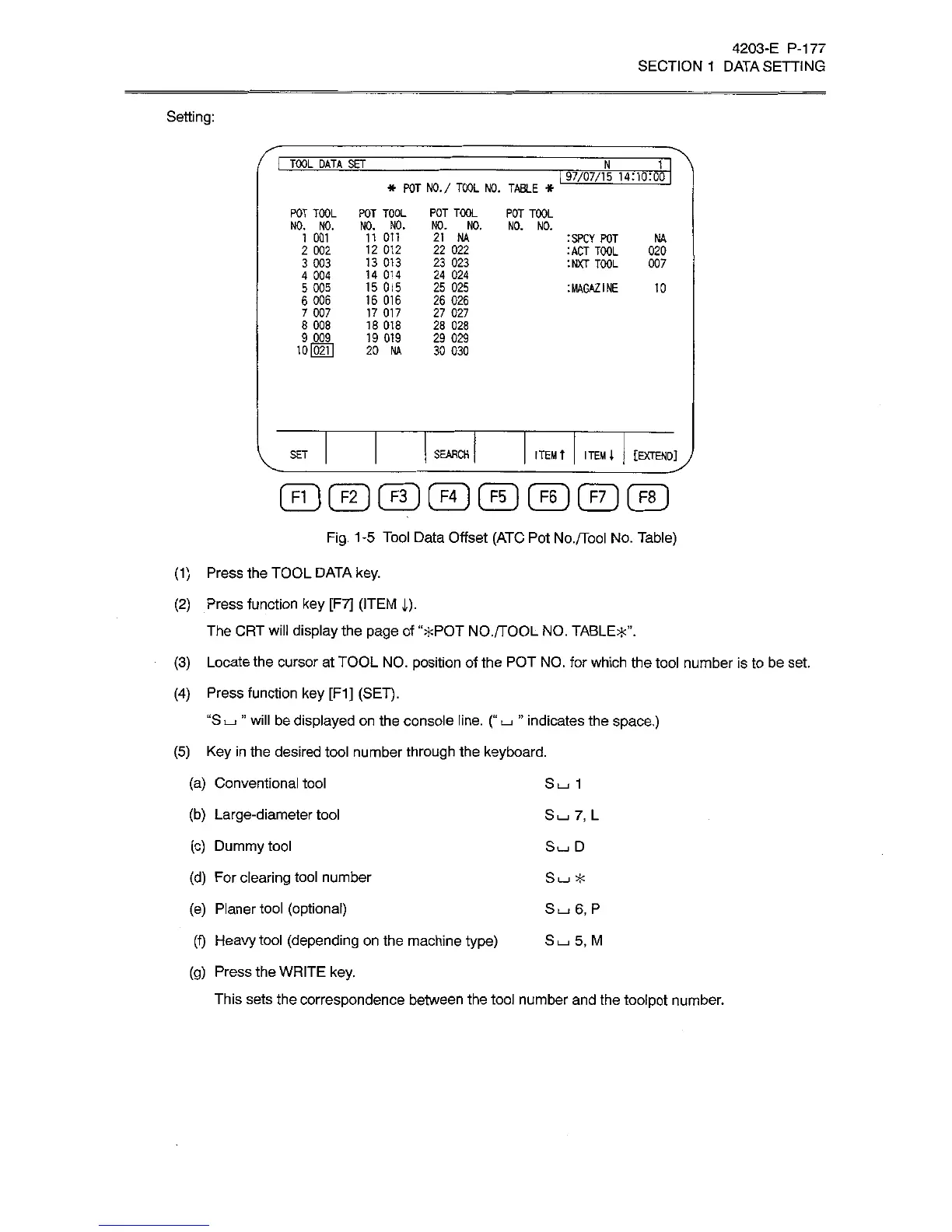
Fig.
1-5
Tool
Data
Offset
(ATC
Pot
No./Tool
No.
Table)
(1)
Press
the
TOOL
DATA
key.
(2)
Press
function
key
[F7]
(ITEM
i).
The
CRT
will
display
the
page
of
“*POT
NO./TOOL
NO.
TABLE*”.
(3)
Locate
the
cursor
at
TOOL
NO.
position
of
the
POT
NO.
for
which
the
tool
number
is
to
be
set.
(4)
Press
function
key
[F1]
(SET).
“S
I_J
”
will
be
displayed
on
the
console
line.
(“
I_I
”
indicates
the
space.)
(5)
Key
in
the
desired
tool
number
through
the
keyboard.
(a)
Conventional
tool
(b)
Large-diameter
tool
(c)
Dummy
tool
(d)
For
clearing
tool
number
(e)
Planer
tool
(optional)
(f)
Heavy
tool
(depending
on
the
machine
type)
S
i_i
5,
M
(g)
Press
the
WRITE
key.
This
sets
the
correspondence
between
the
tool
number
and
the
toolpot
number.
S
L-i
1
Su
7,
L
SLUD
Su
*
Su
6,
P