EasyManua.ls Logo

Okuma OSP-U100M - Page 77

Okuma OSP-U100M
511 pages
Print Icon
To Next Page IconTo Next Page
To Previous Page IconTo Previous Page
Loading...
4203-
E
P-57
SECTION
3
MANUAL
OPERATION
FUNCTIONS
(1)
Setting
procedure
(a)
Switch
the
mode
to
“manual”
by
pressing
the
MANUAL
key.
The
display
is
possible
in
the
automatic
and
MDI
modes
also.
However,
the
setting
is
effective
only
in
the
manual
mode.
(b)
Press
function
key
[F8]
(EXTEND)
to
change
function
key
guide
message.
Then
press
function
key
[F2]
(TOOL
SET).
(c)
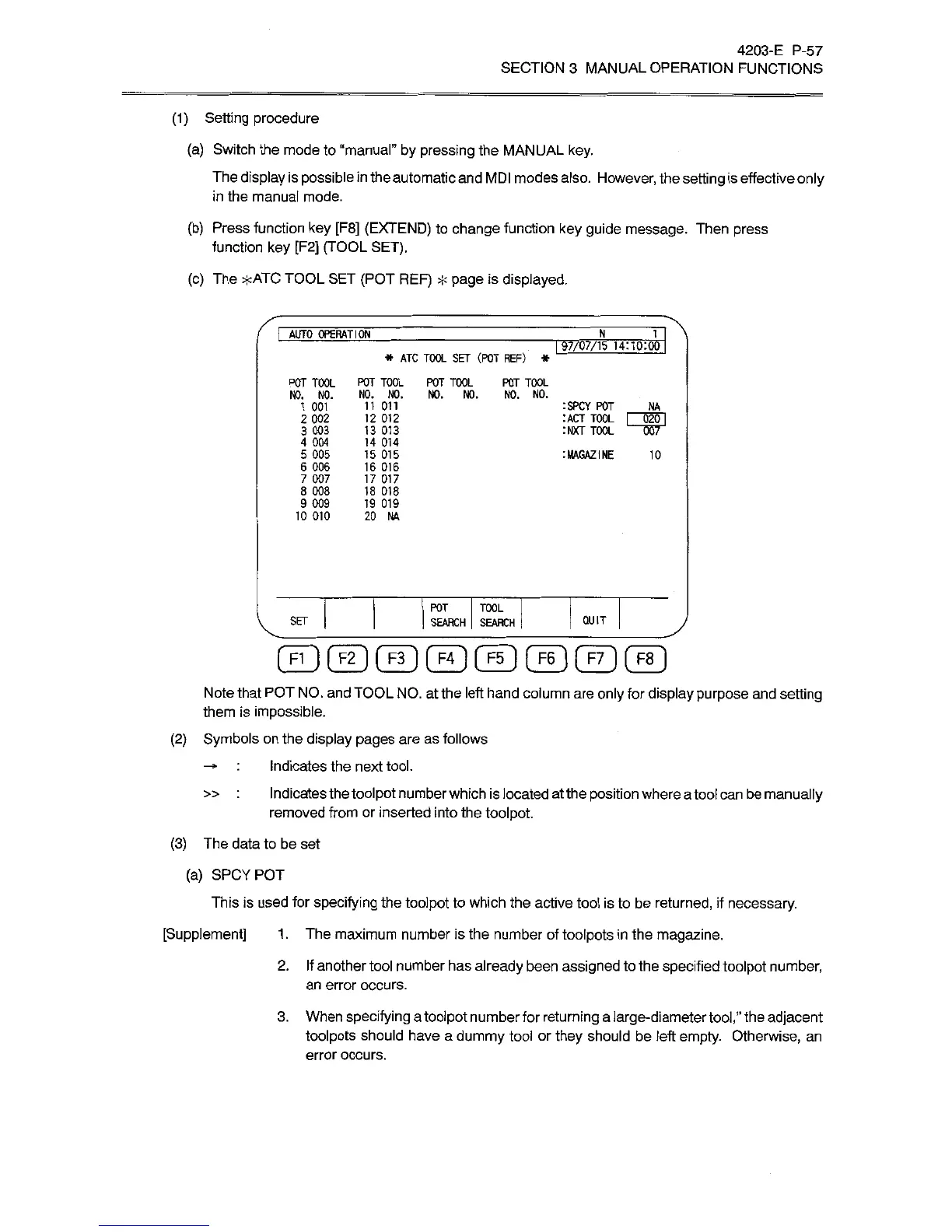
The
*ATC
TOOL
SET
(POT
REF)
*
page
is
displayed.
I
AUTO
OPERATION'
N
1
197/07/15
14:UK00
*
ATC
TOOL
SET
(ROT
REF)
*
POT
TOOL
POT
TOOL
POT
TOOL
POT
TOOL
NO.
NO.
NO.
NO.
NO.
NO.
NO.
NO.
11
Oil
12
012
13
013
14
014
15
015
16
016
17
017
18
018
19
019
20
NA
1
001
:SPCY
POT
_
NA
2
002
3
003
4
004
5
005
6
006
7
007
8
008
9
009
10
010
IMAGAZINE
10
POT
TOOL
SEARCH
|
SEARCH
SET
QUIT
©©©©ClDCtDCfD®
Note
that
POT
NO.
and
TOOL
NO.
at
the
left
hand
column
are
only
for
display
purpose
and
setting
them
is
impossible.
(2)
Symbols
on
the
display
pages
are
as
follows
Indicates
the
next
tool.
Indicates
thetoolpot
number
which
is
located
at
the
position
where
atool
can
be
manually
removed
from
or
inserted
into
the
toolpot.
»
(3)
The
data
to
be
set
(a)
SPCYPOT
This
is
used
for
specifying
the
toolpot
to
which
the
active
tool
is
to
be
returned,
if
necessary.
[Supplement]
1
.
The
maximum
number
is
the
number
of
toolpots
in
the
magazine.
2.
If
another
tool
number
has
already
been
assigned
to
the
specified
toolpot
number,
an
error
occurs.
3.
When
specifying
a
toolpot
numberfor
returning
a
large-diameter
tool,”
the
adjacent
toolpots
should
have
a
dummy
tool
or
they
should
be
left
empty.
Otherwise,
an
error
occurs.

Related product manuals