EasyManua.ls Logo

Okuma OSP-U10M - Page 60

Okuma OSP-U10M
511 pages
Print Icon
To Next Page IconTo Next Page
To Previous Page IconTo Previous Page
Loading...
4203-E
P-40
SECTION
1
OPERATION
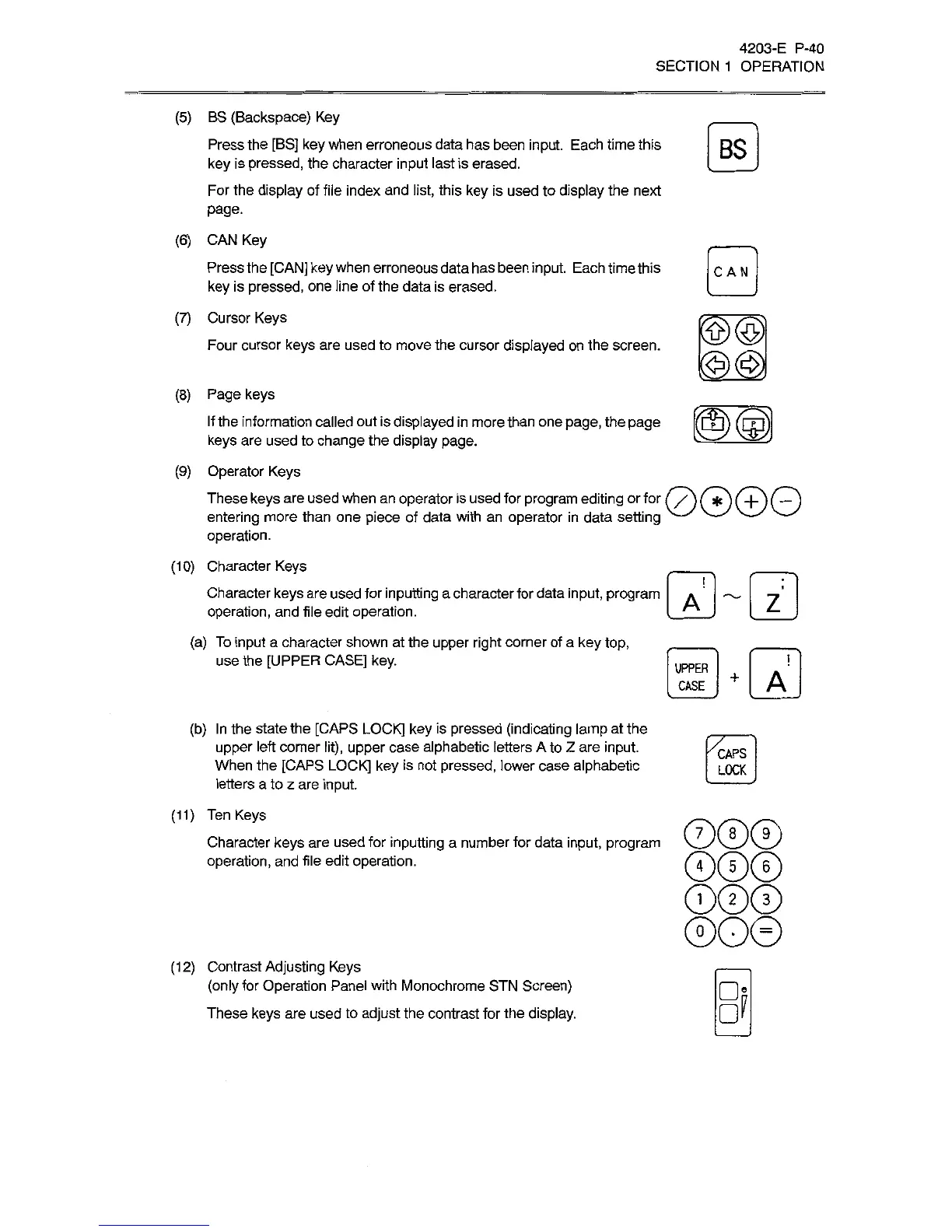
(5)
BS
(Backspace)
Key
Press
the
[BS]
key
when
erroneous
data
has
been
input.
Each
time
this
key
is
pressed,
the
character
input
last
is
erased.
For
the
display
of
file
index
and
list,
this
key
is
used
to
display
the
next
page.
(6)
CAN
Key
Press
the
[CAN]
key
when
erroneous
data
has
been
input.
Each
time
this
key
is
pressed,
one
line
of
the
data
is
erased.
(7)
Cursor
Keys
Four
cursor
keys
are
used
to
move
the
cursor
displayed
on
the
screen.
jcAN
J
3m
3m
(8)
Page
keys
If
the
information
called
out
is
displayed
in
more
than
one
page,
the
page
keys
are
used
to
change
the
display
page.
(9)
Operator
Keys
These
keys
are
used
when
an
operator
is
used
for
program
editing
or
for
C/S
(ÿ)
(
+
)
[
)
entering
more
than
one
piece
of
data
with
an
operator
in
data
setting
operation.
(1
0)
Character
Keys
Character
keys
are
used
for
inputting
a
character
for
data
input,
program
operation,
and
file
edit
operation.
(a)
To
input
a
character
shown
at
the
upper
right
corner
of
a
key
top,
use
the
[UPPER
CASE]
key.
GH2)
UPPER
+
A
CASE
(b)
In
the
state
the
[CAPS
LOCK]
key
is
pressed
(indicating
lamp
at
the
upper
left
corner
lit),
upper
case
alphabetic
letters
A
to
Z
are
input.
When
the
[CAPS
LOCK]
key
is
not
pressed,
lower
case
alphabetic
letters
a
to
z
are
input.
(11)
Ten
Keys
Character
keys
are
used
for
inputting
a
number
for
data
input,
program
operation,
and
file
edit
operation.
[CAPS
|
[
LOCK
)
©0®
©©©
©©©
®o©
(12)
Contrast
Adjusting
Keys
(only
for
Operation
Panel
with
Monochrome
STN
Screen)
These
keys
are
used
to
adjust
the
contrast
for
the
display.
d

Related product manuals