15
MAIN MENU
MAIN MENU
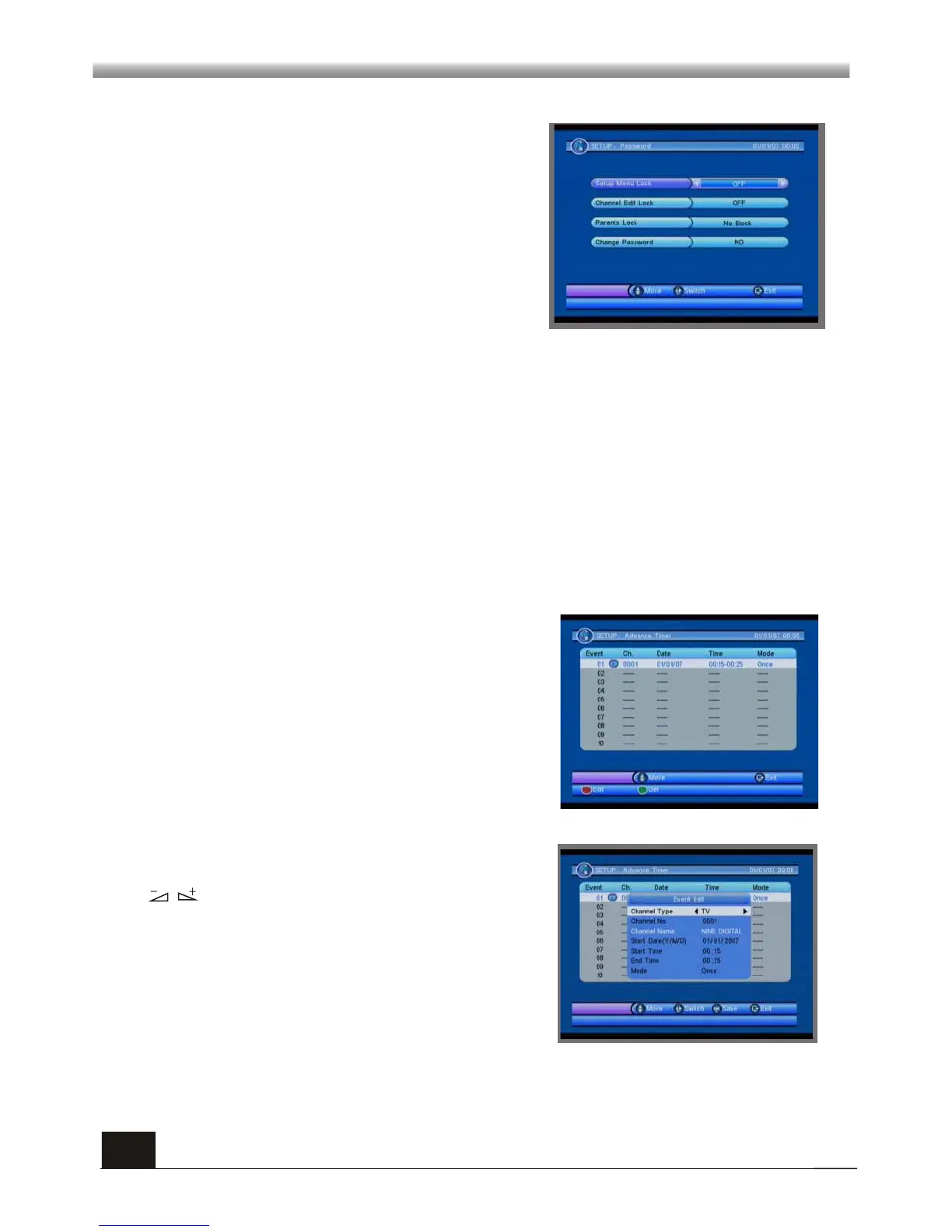
If the setting of Menu Lock is ON which means user have to input password, set OFF
means unlock. The default password is 0000.
2) Channel Edit Lock: Channel Edit Lock can set the channel which user want to lock.
4) Change Password: When you select YES, it will pop up a window asking you to
enter the old password. After input the correct password it will pop up a window
asking you to enter the new password. When you enter 4 numbers, the system will
ask for Confirm Password automatically. You should enter the password again to
confirm it.
3) Parents Lock: You can set the parent lock in this menu. You can select among No block,
Total Block, 02 to 18.
5.4 Advance Timer
When you enter the Advance Timer menu,
the screen will display as beside
Press PR+,PR- keys to select the events in
this window, and press EXIT key to exit.
Press red key to enter the edit window, Press
PR+,PR- keys to select sub-menus, and press
keys to move highlight to choose your
choice.
5.3 Password
In this menu, you can press PR+,PR- keys to
select sub-menus and press OK key to enter
the menu which is chosen.
When you enter the Password menu, the
screen will display as beside.
1)Setup Menu Lock: Menu Lock determining
that when user wish to enter SETUP menu,
whether have to input Password or not.



 To Next Page