17
MAIN MENU
MAIN MENU
6. Hot Key
Use the numeric keys (0-9) to input the number of the desired channel.
6.1 Number
In normal mode, press TV/RADIO key to switch between TV mode and Radio mode.
6.2 TV/RADIO
Press PR+, PR- keys to change the channel up or down.
6.3 Up/Down (Channel Change)
During the viewing, you can press PAUSE key to stop the picture while the volume
continues. You can play the picture by pressing PAUSE key once again.
6.6 Pause
Press key to close the volume. You can press key once again to restore the
volume, or press keys to open the volume.
6.5 Mute
Press TXT/ keys to open the teletext and subtitle window on the screen.
6.7 Teletext
Press keys to change the volume. Press keys to decrease the volume by
step 1, while press keys to add the volume by step1.
6.4 Left/Righ (Volume+/-)
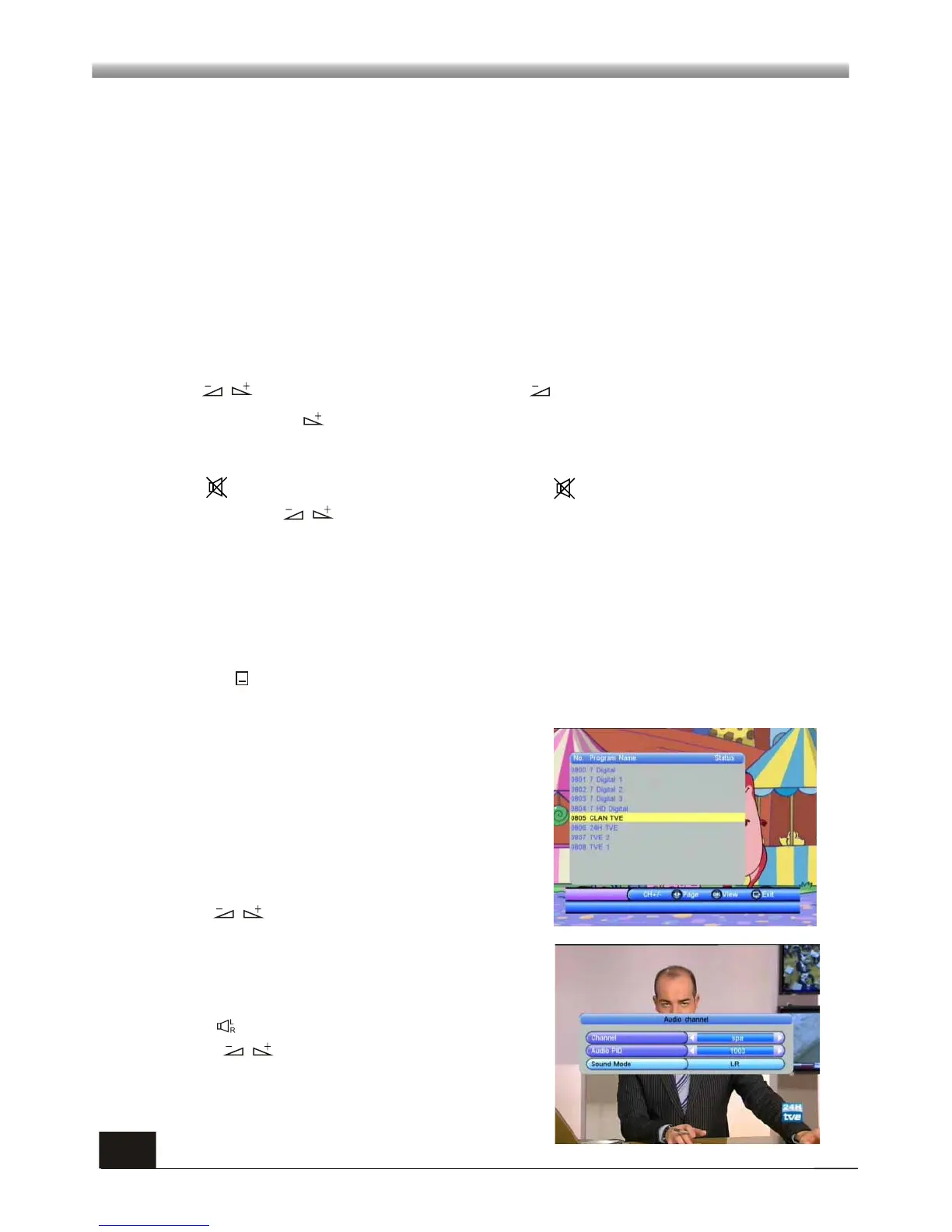
1. During the viewing or listening, press OK
key to pop up the TV program list or the Radio
program list.
2. Press PR+, PR- keys to select the channel
up or down, and then press OK key to play this
channel in full-screen.
3. Press keys to select the page.
4. Press MENU or EXIT key to close this
window.
6.8 OK
*Teletext availability is subject to channel broadcasting in each region.
1. Press keys to enter into the Audio window.
2. Press keys to select sound mode
among LL, RR and LR.
3. Press MENU or EXIT key to close this
window.
6.9 Audio



 To Next Page