EasyManua.ls Logo

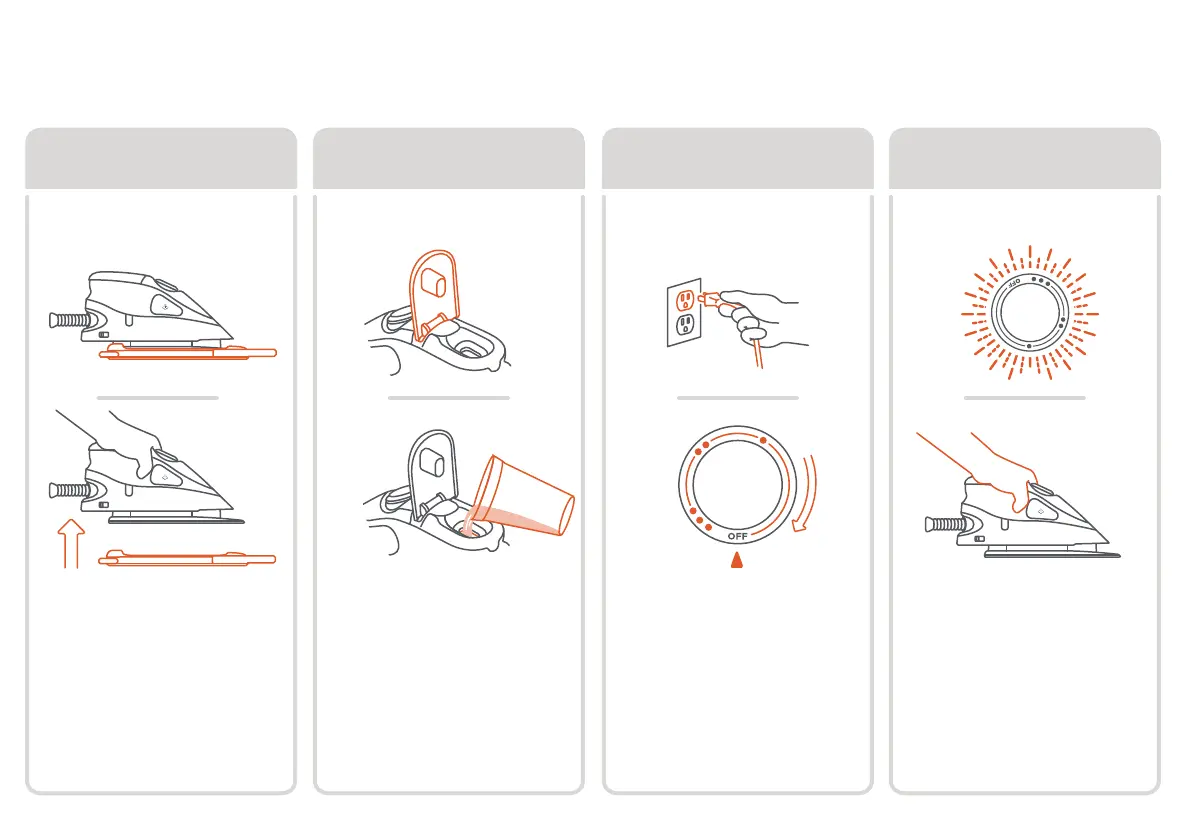
Oliso Mini Project Iron M2Pro - 4 Simple Steps to Start; Step 1: Remove Solemate; Step 2: Fill Unplugged; Step 3: Set Up

Oliso Mini Project Iron M2Pro
12 pages
Print Icon
To Next Page IconTo Next Page
To Previous Page IconTo Previous Page
Loading...
4
4 simple steps to start
step 3
Plug in. Turn dial
clockwise to choose
desired fabric setting.
Note: light will pulsate
until temp is reached.
step 2
fill unplugged
Open the water tank lid
and add water to max
fill line with cup or
directly from a faucet.
Note: fill cup not included.
50mL equals max capacity.
step 4
iron
When the light stops
pulsating and is solid,
the iron is ready for use.
Note: rest iron on solemate
when not in use.
set up
Max Fill
step 1
remove solemate
Make sure to remove
the solemate
from the
iron’s soleplate before
turning on iron.
Max Fill

Related product manuals