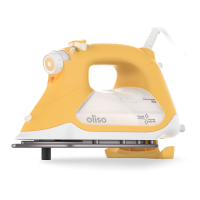
user manual
for model M3Pro
M3PRO
project iron
™
When using your iron, basic safety precautions should always be followed, including the following:
read all instructions before using this product
important safety instructions
special instructions
Only use iron for its intended use.
To avoid the risk of electric shock, do not immerse the iron in water or other liquids.
Always turn the iron OFF before unplugging it. Never tug the cord to disconnect from the outlet; instead,
grasp the plug and pull it to disconnect the iron.
Do not let the cord touch hot surfaces. Let the iron cool completely before putting the iron away. Coil the cord loosely
around the iron and/or Solemate for storage.
The iron must not be left unattended while it is connected to the supply mains. Close supervision is required for any appliance used by or near
children. Do not leave the iron unattended while the iron is connected to the power supply mains or on an ironing board.
If the SUPPLY CORD is damaged, it must be replaced by a special cord or assembly available from the manufacturer or its service agent. Do
not operate the iron with a damaged cord or in the event the iron has been dropped or damaged. To avoid the risk of electric shock, do not
disassemble the ir
on. Take it to a qualified serviceperson for examination and repair. Incorrect assembly might result in a risk of electric shock
when the iron is used after reassembly. Contact consumer service for information on repair or replacement options.
The appliance is not intended for use by persons (including children) with reduced physical, sensory, or mental capacities or lack of
experience or knowledge unless supervised or instructed by a person responsible for their safety.
If an extension cord is absolutely necessary, a cord with an ampere rating equal to or greater than the maximum rating of the iron shall be
used. A cord rated for less amperage can result in a risk of fire or electric shock due to overheating. Care shall be taken to arrange the cord
so that it cannot be pulled or tipped over
The plug must be removed from the socket outlet before the water reservoir is filled with water. Always disconnect the iron from the
electrical outlet before filling the iron with water, emptying the w
ater from the iron, and when the iron is not in use. The iron is not to
be used if it has been dropped, if there are visible signs of damage to the iron or cord, or if it leaks.
Burns can occur by touching hot metal parts, hot water, or steam. Use caution when you turn a STEAM IRON upside down -
there might be hot water in the reservoir.
Children should be supervised to ensure that they do not play with the appliance. Children should not play with iron and must be supervised
at all times when using the iron.
To avoid a circuit overload, do not operate an iron on the same circuit with another high-wattage appliance
Oliso irons are high-wattage appliances; to avoid a circuit overload, do not use other appliances on the same circuit.
The iron will automatically switch to the correct voltage for your region (rated 120V to 220V-240V). There is no voltage selection switch.
The iron will produce hot steam! Be sure to let the iron cool when refilling or storing.
Never directly fill the iron from a faucet while the iron is plugged into a power source.
FOR HOUSEHOLD USE ONLY
1
2
3
4
5
please save these instructions
1
2
3
4
5
6
7
8
9
10
11
12
If the iron is not operating normally, switch to OFF and disconnect it from the power supply; contact customer service for information or repair.
13
The iron must be used and rested on a flat, stable surface.
14

 Need help?
 General

 To Next Page