PG L26/PG L26 Special User’s Guide – Paper recommendations > 44
I
NSTALLING
PAPER
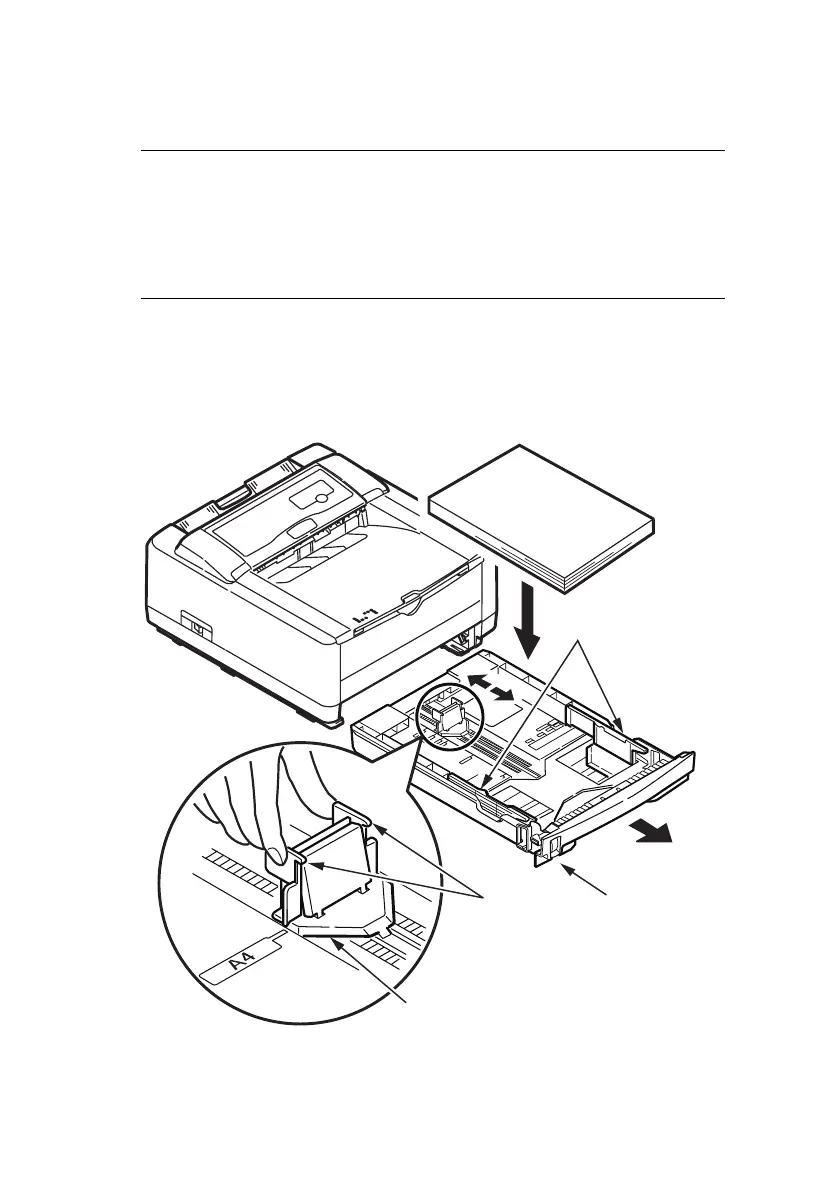
1. Remove the paper tray from the bottom of the printer and
place plain paper in the tray, keeping the level of the
paper in the tray below the guide arrowheads shown on
the paper guides (1).
NOTE
If you are topping up the paper in a paper tray, it is
recommended that you remove the remaining paper from the
tray first then add the new paper stock followed by the paper
you removed. This ensures that the oldest paper is used first
to help prevent paper jams.
1
2
3
4



 To Next Page