GENERAL SYSTEM
RESET 15
Enter the code ”9999” and the device will start the automatic recognition procedure and the
Display shows in sequence:
SEARCHING UNIT ΧΧ
SCI POINT -> XX
Every time that a device is found it is shown on the display(e.g. Panel Νο 1) :
UNIT FOUND
PANEL 1
When the detection procedure is finished the display shows in sequence :
GENERAL SYSTEM
RESET
HISTORY FILE HAS
DELETED
SYSTEM READY
olympia electronics
The system has deleted the history record and is ready for testing and operation .
6. Operation procedures
There are 3 operations level on the panel.
Level 1.Level 1 operation can be done directly without the need of a code.
Leve 2. Level 2 operations are operations that are done by the user and need the user code
in order to be accessed.
Level 3. Level 3 operation are operations and setting that are done by the installation
technician and need the technician code (service code) in order to be accessed.
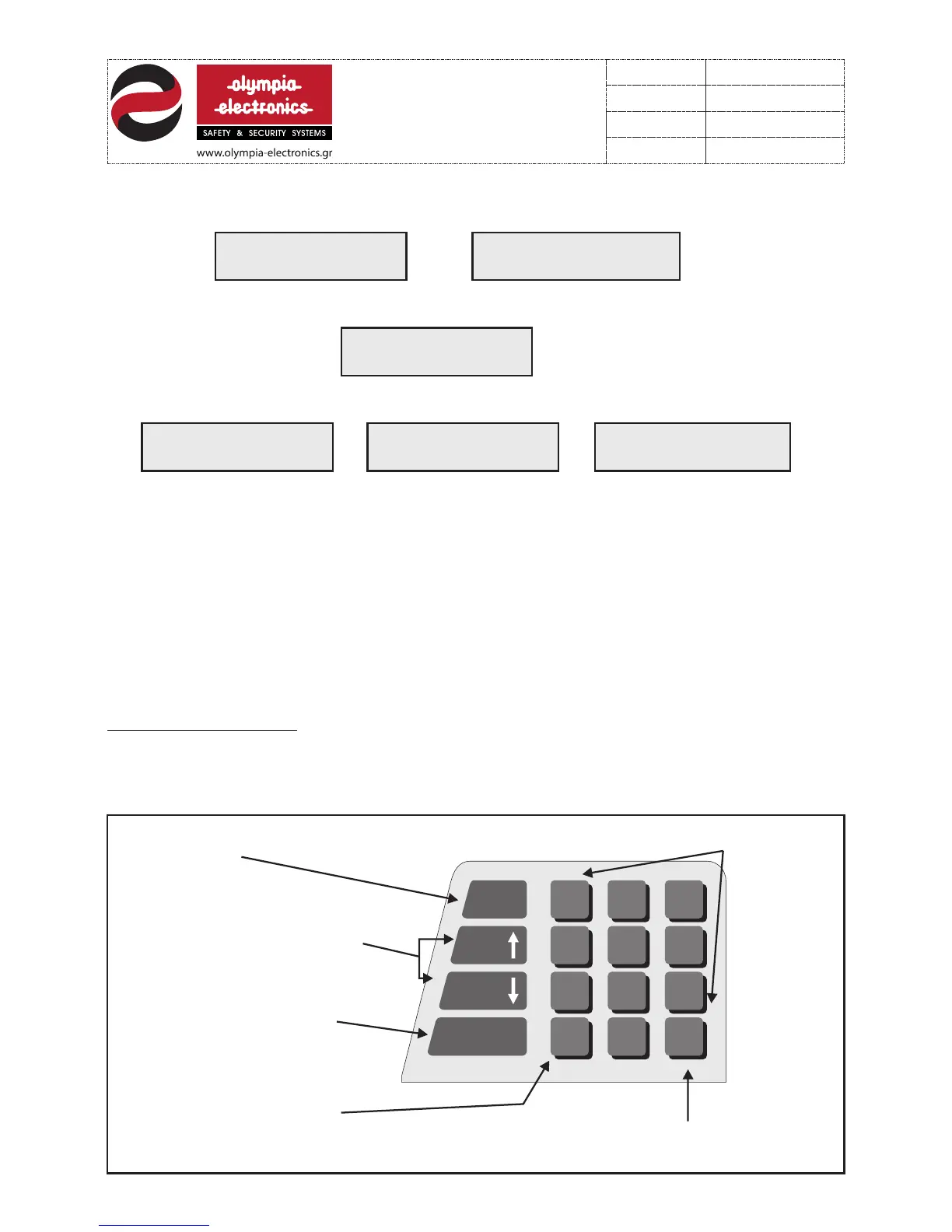
All operations are done using the BS-114 control and programming keyboard. The keys of
the devices operate the same on all operation levels.
6.1 Level 1 operations are all operations that are done by all personnel and do not require
an access code. The keys that operate in this level are :
F1
HELP
ON - OFF
BUZZER
AL ARM
EVENTS
FAULT
EVENTS
ESC
ABCDE FGHIJ KLMNO
PQRST UVWXY Z Ã ÄÈË
ÎÐÓÖØ Ù#()? %&!+-
space
ENTER
21
5
4
87
0
3
6
9
yes no
To enter the history
record
Used for scrolling up or down
when in menus. Displaying Alarm
or Fault events.
Internal buzzer activation
and deactivation.
Cancelling and operation or returning
to the previous menu.
Accepting and operation
or advancing to the next menu setting
Numeric
Keypad
8 from 21
921116000
Date
File
Code
Page
921116000_09_016
13/03/2013


 To Next Page