Putting the Telephone into Operation
Putting the Telephone into Operation
Your phone is comprised of a phone base and a cable-connected telephone receiver.
Connect the phone base and telephone receiver to each other as described in this
chapter.
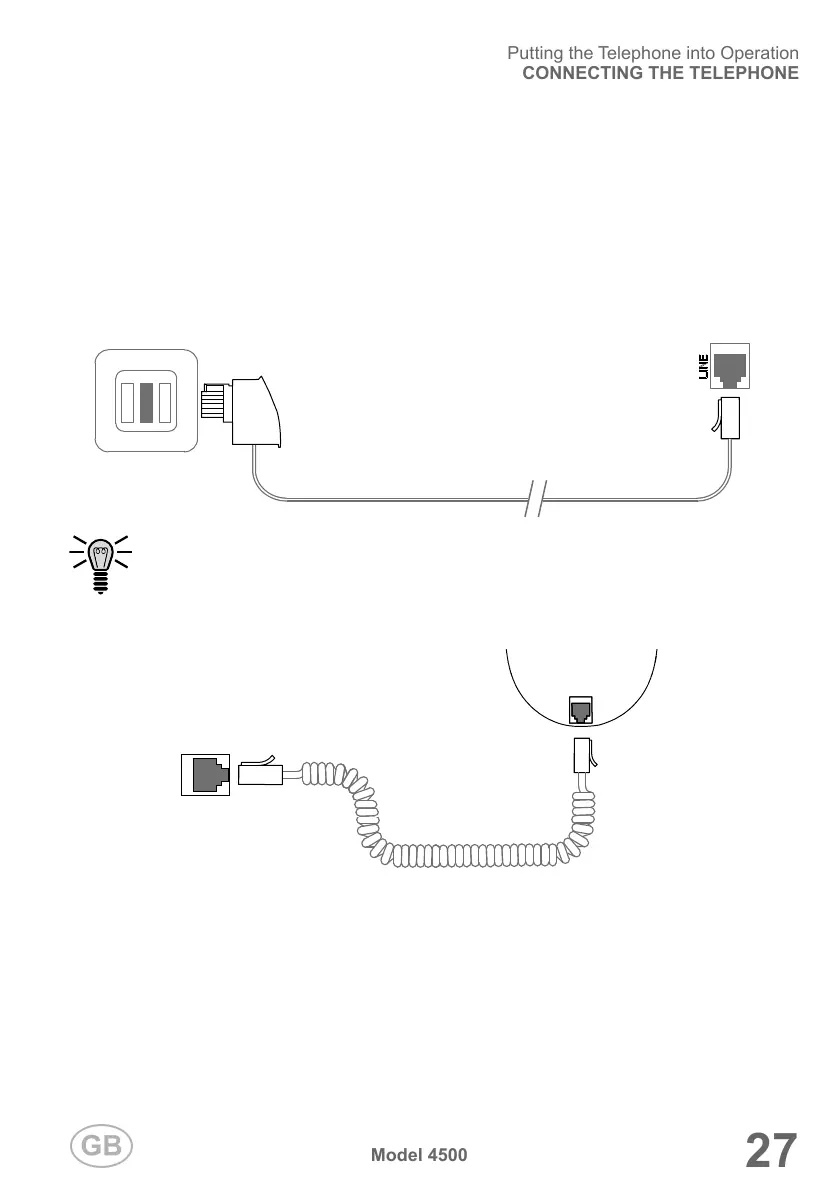
Connecting the Telephone
This chapter provides information on how to connect the cables for the phone.
1 Connect the telephone connection cable to the telephone line connection socket
(LINE) on the phone base and a telephone connection socket in your home.
Alternatively, connect the phone base to a telephone system or a router.
Further information is provided in the operating manual supplied with the
respective device.
2 Connect the telephone receiver cable to the telephone receiver connection socket
on the phone base and receiver.


 To Next Page