Hot Lamination
During hot lamination, the laminating pouch is heated to a temperature of up
to 105°C as it passes through the laminator rollers. This creates a permanent
thermal bonding of the laminated material and the laminating pouch. Hot lam-
ination permanently prevents the laminated material from coming into contact
with water, oxygen and bacteria.
Please remember that hot laminated materials are permanently
bonded to the laminating pouch and can not be separated from the foil
again without possible damage.
Only ever use laminating pouches which are suitable for hot lamination. For an
optimum lamination result, we recommend laminating pouches from Olympia
Business Systems GmbH, which are available from specialist retailers.
1. Set the laminator down on a level, stable working surface.
2. Plug the laminator's power adapter into an easily accessible power socket.
3. Switch the On/Off switch to ON.
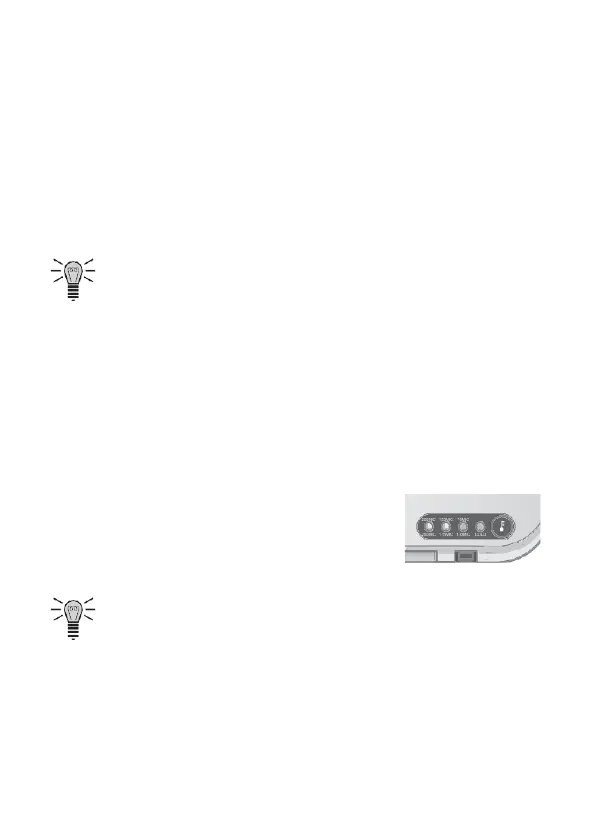
4. Press the Operating Mode button, several times if
necessary, until the control lamp for the foil thick-
ness being used lights up.
5. The drive motor for the rollers starts up.
Pay attention to the warm-up time stipulated in "Technical Data".


 To Next Page