EasyManua.ls Logo

Olympic 50 - Pounds-Ounces to Kilograms Functionality; Cancelling Weight of Objects on Platform

Olympic 50
23 pages
Print Icon
To Next Page IconTo Next Page
To Previous Page IconTo Previous Page
Loading...
Pounds-Ounces
to
Kilograms
_
When
first
turned
on
the
Scale
reads
in
pounds-ounces,
down
to
one
ounce.
To
display
weight
in
kilograms
(kg)
press
the
Kg/Lb
button.
Kilograms
are
displayed
to
0.02
kg.
To
return
the
display
to
Pounds-Ounces,
press
the
button
again.
Display
Resolution
Internally,
the
Scale
is
measuring
weight
to
the
nearest
2.5
grams.
In
the
kilogram mode,
it
is
rounding
the
displayed
weight
to
the
nearest
20
grams.
In
the
pounds-ounces
mode,
the
weight
is
rounded
to
the
nearest
28
grams
before
it
is
displayed
in
pounds-ounces.
A
manual
conver-
sion
from
the
pounds-ounces
display
to
kilograms
may
not
match
the
Scales's
kilogram
display
reading.
This
is
due
only
to
display
resolution.
The
kilogram
weight
display
is
correct.
Cancelling
Weight
of
Objects
on
Platform
There
are
two
ways
to
cancel
(tare
out)
the
weight
of
blankets
or
other
objects:
-
Scale
on
Place
blanket
on
platform
and
press
Zero
button.
Weight
of
blanket
will
be
cancelled
out
and
display
will
read
zero.
-
Scale
off
Place
blanket
on
platform
prior
to
turning
on.
Press
On/Off,
when
zero
appears,
blanket's
weight
has
been
automatically
cancelled
out.
Note:
If
blanket
is
removed
from
platform
after
its
weight
has
been
cancelled
out,
the
Scale
will
display
negative
weight.
Press
Zero
again
to
re-zero
the
Scale.
Overload
If
the
load
exceeds
55
pounds
(25
kg),
the
Overload
signal
on
the
display
will
come
on.
Reduce
the
weight
on
the
Scale
platform.
Cleaning
Smart
Scale
can
be
wiped
clean
with
a
cloth
dampened
with an
common
hospital
disinfectant.
Note:
Do
not
spill
any
liquid
on
the
Scale
as
it
might
enter
the
case
and
damage
the
electronics.
Page
2-3
Battery
Operation
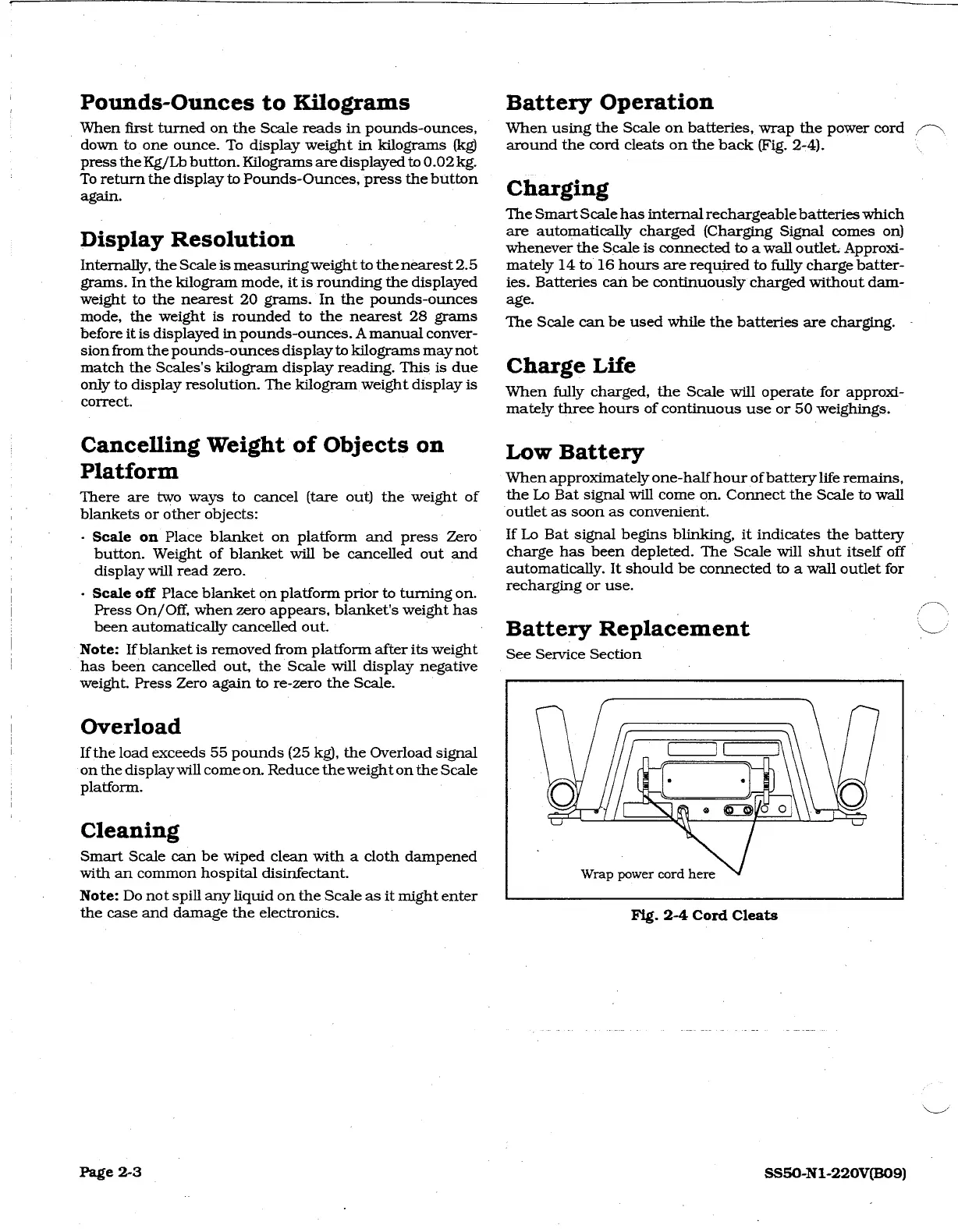
When
using
the
Scale
on
batteries,
wrap
the
power
cord
DN
around
the
cord
cleats
on
the
back
(Fig.
2-4).
Charging
The
Smart
Scale
has
internal
rechargeable
batteries
which
are
automatically
charged
(Charging
Signal
comes
on)
whenever
the
Scale
is
connected
to
a
wall
outlet.
Approxi-
mately
14
to
16
hours
are
required
to
fully
charge
batter-
ies.
Batteries
can
be
continuously
charged
without
dam-
age.
The
Scale
can
be
used
while
the
batteries
are
charging.
Charge
Life
When
fully
charged,
the
Scale
will
operate
for
approxi-
mately
three
hours
of
continuous
use
or
50
weighings.
Low
Battery
When
approximately
one-half
hour
of
battery
life
remains,
the
Lo
Bat
signal
will
come
on.
Connect
the
Scale
to
wall
ā€˜outlet
as
soon
as
convenient.
If
Lo
Bat
signal
begins
blinking,
it
indicates
the
battery
charge
has
been
depleted.
The
Scale
will
shut
itself
off
automatically.
It
should
be
connected
to
a
wall
outlet
for
recharging
or
use.
Battery
Replacement
See
Service
Section
Wrap
power
cord
here
Fig.
2-4
Cord
Cleats
SS50-N1-220V(B09)