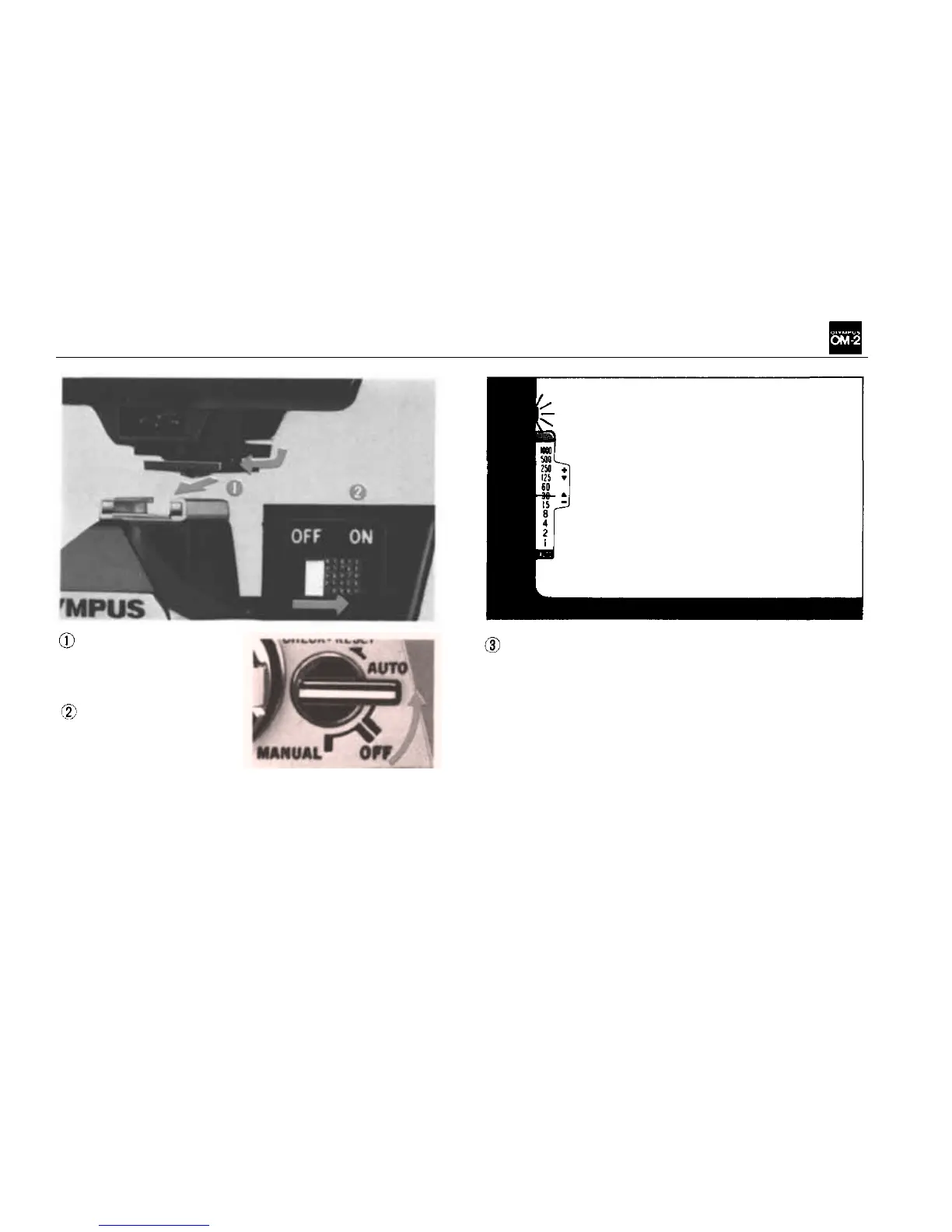
Attach the Acces-
sory Shoe 4 to the
OM-2 and mount the
T32 (or
T20).
Set the camera's se-
lector lever to the
"AUTO" position
and switch on the
T32 (or
T20).
NOTE: Mounting the T32 (or T20) on the acces-
sory shoe automatically completes the "X" syn-
chro circuit. It is not necessary to set the X and
FP flash selector to "X".
A red lamp lights in the viewfinder when the
T32 (or T20) capacitor is charged ready for
shooting.
Set the aperture ring to the f/stop you require,
focus on the subject and release the shutter.
NOTE: All f/stops on the camera lens can be
used.
30



 To Next Page