- 13 -
Sample Holders
4 Adding new sample types to your CIX100 system
For adding new sample types (available with CIX ASW software version number
1.5.2 or higher), please make sure to log into CIX ASW software as administrator.
Then you have full access to the system configuration on the start page of your CIX
ASW software.
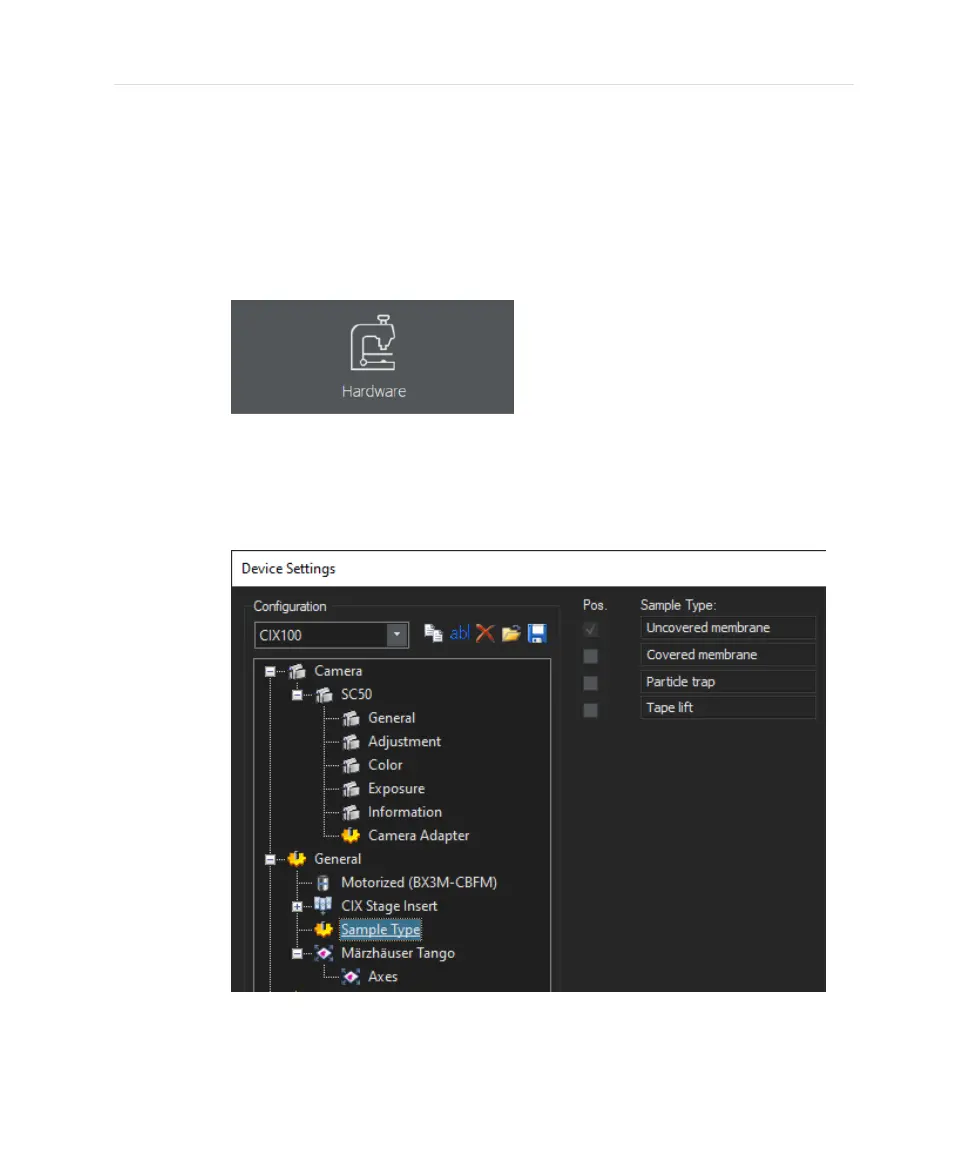
1. On the start page, click the [Hardware] button.
l
The [Device List] dialog box opens.
2. Click the [OK] button.
l
The [Device Settings] dialog box opens.
3. In the [Device Settings] dialog box, select the [Sample Type] entry.
l
On the right, you find a list of possible samples. [Uncovered
membrane] refers to the standard precalibrated filter membrane
13


 To Next Page