OLYMPUS CIX100 Cleanliness Inspector System
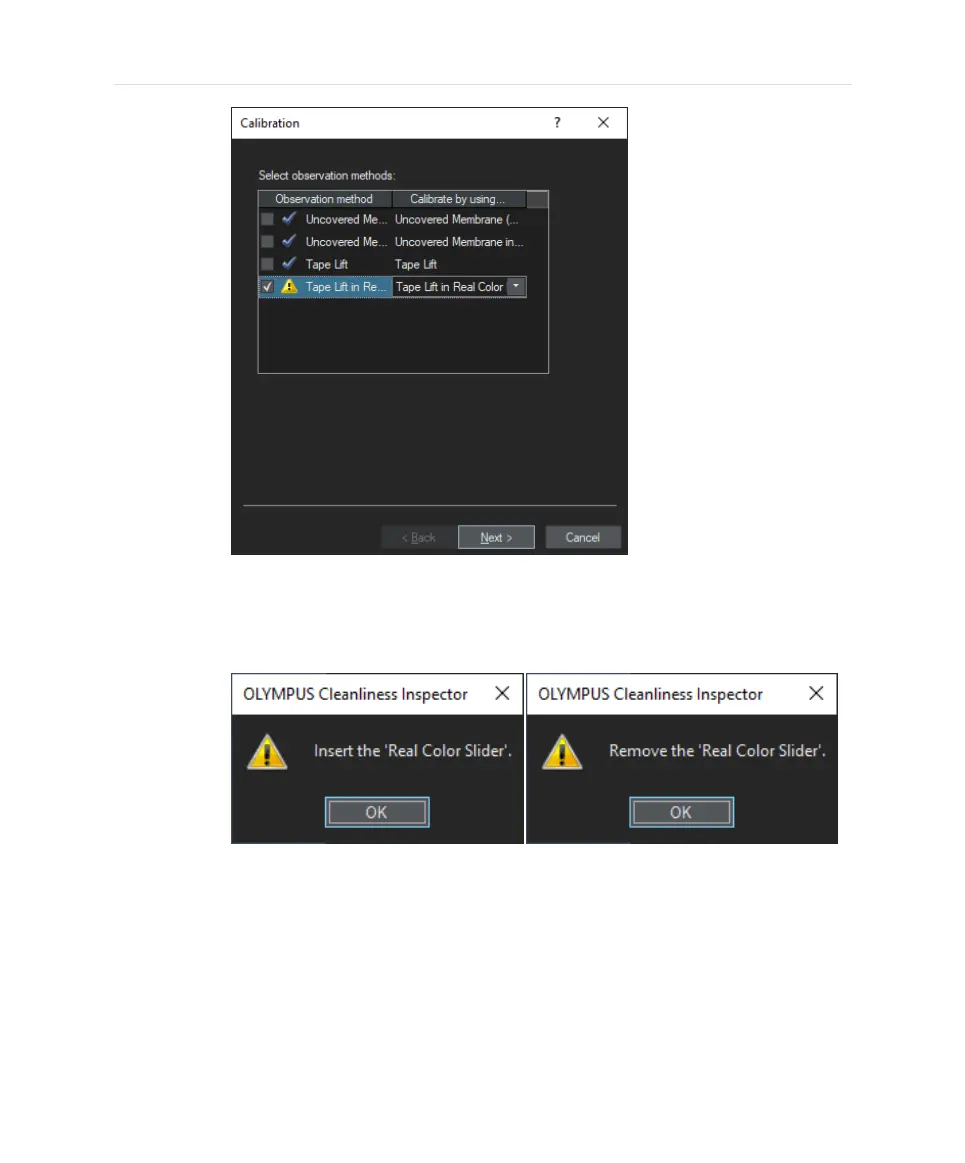
Whenever the Real Color Slider is applied for a calibration, the system will
remind you to insert or remove the real color slider with a respective pop-
up window. Please follow these instructions and click [OK] after you have
inserted or removed the slider.
15. When the process is finished successfully, the [White Balance] entry will be
marked with a blue tick in the [Calibration] dialog box indicating that a white
balance has been performed for all observation methods now.
16. Now it is recommended to perform the [Check System] workflow.
32


 To Next Page