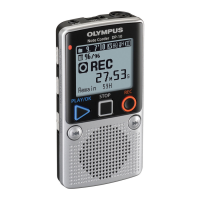
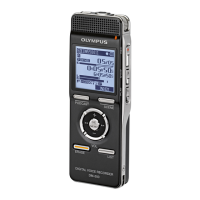
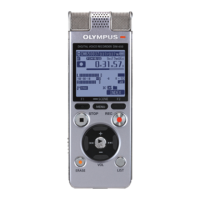
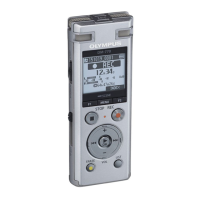
DIGITAL VOICE
RECORDER
DW-90
INSTRUCTIONS
Please read these instructions for information about using
the product correctly and safely.
Keep the instructions handy for future reference.
To ensure successful recordings, we recommend that
you test the record function and volume before use.
Declaration of Conformity
Model Number: DW-90
Trade Name: DIGITAL VOICE RECORDER
Responsible Party: OLYMPUS AMERICA INC.
Address: 2 Corporate Center Drive, Melville, NY 11747-3157, U.S.A.
Telephone Number: 800-622-6372
This device Complies with Part 15 of the FCC Rules. Operation is subject to the following
two conditions: (1) This device may not cause harmful interference, and (2) this device must
accept any interference received, including interference that may cause undesired operation.
Tested To Comply
With FCC Standards
FOR HOME OR OFFICE USE
Canadian RFI
This digital apparatus does not exceed the Class B limits for radio noise emissions from digital
apparatus as set out in the Radio Interference Regulations of the Canadian Department of
Communications.
Cet
apparail numerique ne depasse pas limits de Categorie B pour les emissions de gruit radio
emanant d’appareils numeriques, tel que prevu dans les Reglements sur l’Interference Radio du
Department Canadian des Communications.
San-Ei Building, 22-2, Nishi Shinjuku 1-chome, Shinjuku-ku, Tokyo, Japan. Tel. 03-3340-2211
Two Corporate Center Drive, Melville, NY 11747-3157, U.S.A. Tel. 1-800-622-6372
(Premises/Goods delivery) Wendenstrasse 14-18, 20097 Hamburg, Germany. Tel. 040-237730
(Letters) Postfach 10 49 08. 20034 Hamburg. Germany.
2-8 Honduras Street, London EC1Y 0TX, United Kingdom, Tel. 020-7253-2772
http://www.olympus.com
Main Features
• The DW-90 has three recording modes: HQ (High Quality) mode, SP (Standard
Playback) mode, and LP (Long Playback) mode.
• The Variable Control Voice Actuator (VCVA) reduces memory usage by pausing
recording when it senses silence.
• Recorded sound files can be stored in three separate folders (up to 100 files per
folder).
• Back lighting to illuminate the LCD panel allows you to read the display in the
dark.
• The USB cabel and Digital Wave Player-Software allow you to record sound files
directly on PC.
• The high-quality directional microphone helps you clearly record from a sound
source aimed at with the microphone.
Identification of Parts
1 microphone (front)
2 microphone (side)
3 Display (LCD panel)
4 HOLD switch
5 MICSENS (Microphone
sensitivity) switch
6 VOLUME control
7 REC (Record) button
8 ERASE button
9 Earphone jack
0 Microphone stand hole
! Recording lamp
@ DISPLAY button
# REC MODE button
$ STOP button
% MENU/FOLDER button
^ Built-in speaker
& Battery cover
* PLAY/ ` button
( 9 (Fast Forward) /+ button
) 0 (Rewind) /– button
- Rubber foot
= Strap holes
q PC (USB) terminal
“CE” mark indicates that this product
complies with the European
requirements for safety, health,
enviroment and customer protection.
L’indication “CE” signfie que ce produit
est conforme aux exigences concemant
la sécurité, la santé, l’environnement et
la protection du consommateur.
Das „CE“ Zeichen bestätigt die
übereinstimmug mit den Europäischen
Bestimmungen für Betriebssicherheit
und Umweltschutz.
Il marchio “CE” indica che questo
prodotto è conforme alle norme della
comunità europea per quanto riguarda
la sicurezza, la salute, l’ambiente e la
protezione del consumatore.
La marca “CE” indica que este producto
se encuentra de conformidad con las
exigencias europeas sobre seguridad,
salud, medio ambiente y protección al
consumidor.
Display (LCD Panel)
1 Folder indicator
2 Recording mode indicator
3 Current time/date, recording time/
date (REC DATE), elapsed
recording time, remaining
recording time (REMAIN), menu
display, etc.
4 Alarm indicator
5 Battery indicator
6 7Rewind indicator,
8Fast Forward indicator,
sRecord indicator, `Play
indicator
7 File number indicator
8 VCVA (Variable Control Voice
Actuator) indicator
Standby Mode and Display Shut Off
If the recorder is stopped or paused for 60 minutes or longer during recording or
playing, it goes into Standby (power-save) mode, and the display shuts off. To exit
Standby mode and turn on the display, press any button.
E2-2797-01


 To Next Page
 General