EasyManua.ls Logo

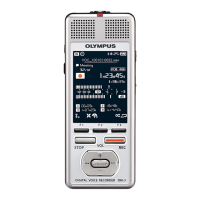
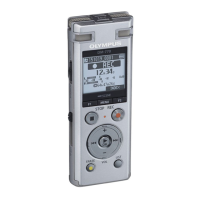
Olympus DM-550 - User Manual

Olympus DM-550
3 pages
Print Icon
To Next Page IconTo Next Page
Loading...
Audible.com
Olympus DM-420, DM-450, DM-520, & DM-550
Audible User Guide
System Requirements:
o Windows Operating System(s):
Windows 7, Vista, XP
o AudibleManager Version:
5 or higher
o Mac Operating System(s):
N/A
o Windows Media Player Version:
11 or higher
Audible Features:
o Audible Formats Supported:
o Section Navigation:
Yes
o Bookmarking:
No
o Variable Playback Speed:
Yes

Other manuals for Olympus DM-550

Questions and Answers

  • T
    Thomas RuizAug 4, 2025
    What to do if my Olympus Voice Recorder won't start?
    • D
      Dustin MoranAug 4, 2025
      If your Olympus Voice Recorder won’t start, there are a few things to check. It could be due to low battery power, so try replacing the batteries. Also, make sure the power is turned on. Lastly, verify that the recorder is not in HOLD mode; if it is, release it from HOLD.
  • G
    Gene SmithAug 9, 2025
    Why no playback tone heard on Olympus Voice Recorder?
    • E
      eparsonsAug 9, 2025
      If you can't hear any playback tone on your Olympus Voice Recorder, first, ensure that earphones are unplugged to use the internal speaker. Second, check that the volume level isn't set to [00]; if it is, adjust the volume. Finally, the recording level may not have been adjusted, so adjust the recording level and try recording again.
  • K
    Kyle BrownAug 14, 2025
    What to do if Olympus DM-550 is unable to record?
    • B
      brendabennettAug 14, 2025
      If you are unable to record on your Olympus Voice Recorder, it may be due to low remaining memory, so try erasing unnecessary files. Alternatively, the maximum number of files may have been reached, so try changing to another folder.
  • J
    Jesus DelgadoAug 19, 2025
    How to fix Olympus Voice Recorder if nothing appears on the display?
    • H
      Heather SteeleAug 19, 2025
      If nothing appears on the Olympus Voice Recorder's display, there are several possible reasons. First, make sure the batteries are loaded with the correct polarities. Second, the battery power may be low, so try replacing them with new ones. Finally, check if the power is turned off and, if so, turn it on.
  • D
    dodonnellAug 25, 2025
    Why is there noise heard during playback on Olympus DM-550?
    • S
      sergio87Aug 25, 2025
      If you hear noise during playback on your Olympus Voice Recorder, it could be because the recorder was shaken during recording. Also, if the recorder was placed near a cell phone or fluorescent lamp while recording or during playback, try moving the recorder.
  • K
    Kristen OdonnellAug 29, 2025
    Why are voice files not recorded in stereo on Olympus Voice Recorder?
    • S
      Sherry WilliamsAug 29, 2025
      If voice files are not being recorded in stereo on your Olympus Voice Recorder, it could be because the connected external microphone is monaural; when using a monaural microphone, sound will only be recorded by the L-channel. Alternatively, the [Rec Mode] may be set to a monaural recording mode, so set it to the stereo recording mode.

Summary

System Requirements

Windows Operating System Support

Specifies the supported Windows operating systems for the device.

Mac Operating System Support

Indicates the compatibility with Mac operating systems.

AudibleManager Version Requirement

States the minimum required version for AudibleManager.

Windows Media Player Version Requirement

States the minimum required version for Windows Media Player.

Audible Features Overview

Supported Audible Formats

Lists the Audible file formats supported by the device.

Bookmarking Capability

Indicates whether the bookmarking feature is available.

Section Navigation Feature

Confirms the availability of section navigation for audio content.

Variable Playback Speed

Confirms the availability of adjusting playback speed.

Device Layout Diagram

How To Perform Audible Operations

Locating and Playing Audible Content

Step-by-step guide to find and play Audible content on the device.

Rewinding and Fast-Forwarding Audio

Instructions on how to rewind and fast-forward Audible books.

Navigating Through Sections

Guidance on how to move between sections within an Audible book.

Adjusting Playback Speed

Detailed steps for changing the playback speed of Audible content.

Olympus DM-550 Specifications

General IconGeneral
Built-in microphoneYes
Maximum recording time1062 h
File typePCM/WMA/MP3
Battery typeAAA
Dimensions (WxDxH)110 x 16 x 38.9 mm
Internal memory4096 MB
Display typeLCD
Display size (HxV)27.3 x 28.5 mm
InterfaceUSB
Number of batteries supported2
Weight and Dimensions IconWeight and Dimensions
Weight89 g

Related product manuals