EasyManua.ls Logo

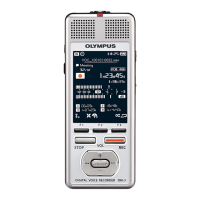
Olympus DM-901 - User Manual

Olympus DM-901
132 pages
Print Icon
To Next Page IconTo Next Page
Loading...
DIGITAL VOICE
RECORDER
USER MANUAL
Thank you for purchasing an Olympus digital voice recorder.
Please read these instructions for information about using the product
correctly and safely.
Keep the instructions handy for future reference.
To ensure successful recording, we recommend that you test the record
function and volume before use.
Getting started
Recording
Playback
Schedule
Menu
Wi-Fi Function
Use with a PC
Other information
EN
7
1
2
3
4
5
6
DM-901
8

Table of Contents

Other manuals for Olympus DM-901

Questions and Answers

  • J
    Joseph BergJul 31, 2025
    What to do if my Olympus DM-901 playback is inaudible?
    • Y
      Yesenia BergJul 31, 2025
      If you cannot hear the playback on your Olympus Voice Recorder, there are a few potential causes. First, if earphones are connected to the EAR jack, disconnect them to output the playback through the built-in speaker. Second, if [Off] has been selected for [Speaker], select [On] to use the built-in speaker. Finally, ensure the volume isn't set to [00]; adjust the volume to a suitable level.
  • S
    Steven FigueroaAug 6, 2025
    Why is the recording too quiet on my Olympus DM-901?
    • D
      David HayesAug 6, 2025
      If your recording is too quiet on your Olympus Voice Recorder, it might be because the recording level hasn’t been adjusted. Redo the recording after adjusting the recording level. Also, a low recording level may have been set, so redo the recording after setting the recording level to [High] or [Middle]. Finally, the output level of the connected external device may be too low, so adjust the output level of the external device.
  • K
    Kelly EvansAug 12, 2025
    How to fix 'unable to record' issue on Olympus Voice Recorder?
    • X
      xandersonAug 12, 2025
      If you're unable to record on your Olympus Voice Recorder, it could be due to two reasons. First, there might be no remaining memory, so erase unneeded files. Second, the maximum number of recordable files might have been reached, so select another folder.
  • B
    benjaminjenniferAug 18, 2025
    Why I am unable to operate my Olympus DM-901?
    • W
      williamsdawnAug 18, 2025
      If you're unable to operate your Olympus Voice Recorder, it could be due to a few reasons. First, the remaining battery power might be low, so charge the battery. Second, the power might be off, so turn the power on. Third, the voice recorder might be in HOLD mode, so release HOLD mode.
  • J
    James Jones MDAug 23, 2025
    What to do if my Olympus Voice Recorder display is blank?
    • W
      William WebbAug 25, 2025
      If the display of your Olympus Voice Recorder is blank, there are a few possible reasons. The battery might not be inserted properly, so check its orientation. Alternatively, the remaining battery power could be low, so charge the battery. Also, ensure that the power is turned on.

Summary

Names of Parts

Recorder

Describes the physical components of the voice recorder and their functions.

Display

Details the various screen modes and elements shown on the device's display.

Getting started

Setup

Initial setup steps including battery insertion, charging, and date/time configuration.

Batteries

Information on rechargeable batteries and their proper usage and care.

Preventing Accidental Operation

How to use the HOLD mode to prevent unintended button presses during use.

Turning Power OFF

Procedures for shutting down the device and activating the power save mode.

Home Screen Operations

Navigating the main interface and selecting different operational modes.

Recording

Basic Recording Procedure

Steps to start, stop, pause, and resume recording audio files.

Recording Settings

Options to tailor recording quality, sensitivity, and microphone directivity.

Recording with External Microphone

Instructions for connecting and using external microphones with the device.

Playback

Basic Playback Procedure

How to select and play audio files recorded by the device or transferred from a PC.

Playback Settings

Customizing playback with features like noise cancellation and voice balancing.

Skipping and File Navigation

Moving between audio files and navigating playback positions.

Changing Playback Speed

Adjusting the speed of audio playback for faster review or slower analysis.

Erasing Files and Folders

Procedures for deleting unwanted audio files and entire folders.

Schedule

Displaying and Operating Schedule Screen

Accessing and navigating the calendar interface for scheduling.

Registering a Voice Memo

Recording timed voice notes for schedule management.

Playing Voice as an Alarm

Setting voice memos to play back at a specific date and time as an alarm.

Menu

Setting Menu Items

General navigation and customization of device settings via the menu.

Recording Menu: Rec Level, Rec Mode, etc.

Detailed recording settings like sensitivity, mode, and microphone directivity.

File Menu: Voice Detect, File Lock, etc.

File management functions including locking, sorting, moving, and dividing files.

Device Menu: Memory Select, USB Settings, etc.

General device settings including recording media, power save, and date/time.

Formatting Recording Media

Procedures for erasing all data from the internal memory or SD card.

Wi-Fi Function

Before Using Wi-Fi Function

Introduction to the Wi-Fi capabilities and prerequisites for use.

OLYMPUS Audio Controller App

Details on the companion smartphone application for remote operation.

Use with a PC

PC Operating Environment

System requirements and compatibility information for connecting to a PC.

PC Connection and Disconnection

Procedures for establishing and safely removing a PC connection.

Installing and Uninstalling Software

Steps for installing and removing the Olympus Sonority PC software.

Other Information

Alarm Message List

A list of device error messages and the required actions to resolve them.

Troubleshooting

Solutions and guidance for diagnosing and fixing common operational problems.

Safety Precautions

Important safety guidelines for the correct and safe operation of the device.

Specifications

Technical details and operating parameters of the voice recorder.

Olympus DM-901 Specifications

General IconGeneral
MP3 bit rates128 - 256 Kbit/s
WMA bit rates8 - 32 Kbit/s
Recording modesHigh Quality (HQ), Long Play (LP), Pulse-code modulation (PCM)
HQ mode recording time218 h
Maximum recording time850 h
Audio formats supportedMP3, PCM, WAV, WMA
HQ mode frequency response40 - 20000 Hz
SLP mode frequency response40 - 3000 Hz
Internal memory4096 MB
BacklightYes
Display typeTFT, LCD
Display diagonal2 \
Display resolution176 x 220 pixels
Display size (HxV)31.7 x 39.6 mm
Output power280 mW
Loudspeaker diameter20 mm
InterfaceUSB
FM radioNo
Media types supportedFlash card
Compatible memory cardsSD, SDHC, SDXC
Battery voltage3.7 V
Battery capacity1400 mAh
Battery life (max)29 h
Number of batteries supported1
MaterialPlastic
Product colorBlack
Menu languagesCZE, DAN, DEU, DUT, ENG, ESP, FRE, ITA, POL, RUS, SLV
Languages supportDAN, DEU, DUT, ENG, ESP, FRE, ITA, POL, RUS, SLV
Bundled softwareSonority, Audio Management
Weight and Dimensions IconWeight and Dimensions
Depth17.9 mm
Width51 mm
Height115 mm
Weight105 g

Related product manuals