EasyManua.ls Logo

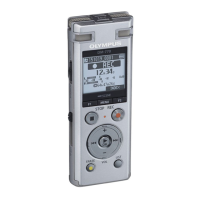
Olympus DM-5 - User Manual

Olympus DM-5
175 pages
Print Icon
To Next Page IconTo Next Page
Loading...
DETAILED
INSTRUCTIONS
DIGITAL VOICE
RECORDER
Thank you for purchasing an Olympus
Digital Voice Recorder.
Please read these instructions for information
about using the product correctly and safely.
Keep the instructions handy for future reference.
To ensure successful recordings, we recommend that
you test the record function and volume before use.
EN
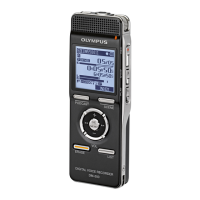
DM-5
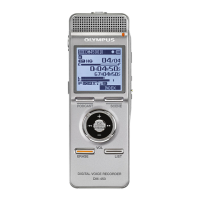
DM-3
Register your product on www.olympus-consumer.com/register
and get additional benefits from Olympus!

Table of Contents

Questions and Answers

  • M
    Michael GeorgeAug 10, 2025
    What to do if Olympus Voice Recorder won't start?
    • S
      Sarah ClarkAug 10, 2025
      If your Olympus Voice Recorder won't start, there are a few potential causes. The battery power may be low, so try replacing it with a new one. Ensure that the power is turned on. Also, check if the recorder is in HOLD mode and, if so, release it from HOLD.
  • M
    Melissa MarshallAug 17, 2025
    What to do if Olympus Voice Recorder has no playback tone?
    • B
      bcalhounAug 17, 2025
      If you're not hearing any playback tone from your Olympus Voice Recorder, make sure the earphones are unplugged to use the internal speaker. Also, check that the volume level isn't set to [00], and adjust the volume level if needed.
  • M
    Morgan MontgomeryAug 26, 2025
    How to solve 'Unable to record' issue on Olympus Voice Recorder?
    • A
      Aaron YoungAug 26, 2025
      If you are unable to record on your Olympus Voice Recorder, it may be due to low remaining memory. Erase unnecessary files to free up space. Alternatively, the maximum number of files may have been reached, in which case you should change to another folder.
  • D
    Daniel NelsonSep 1, 2025
    How to fix Olympus DM-5 when nothing appears on the display?
    • M
      Matthew GraySep 2, 2025
      If nothing appears on the display of your Olympus Voice Recorder, it could be due to a few reasons. First, check the direction of the battery to ensure it is loaded properly. If the battery power is getting low, charge the battery. Also, make sure that the power is turned on.

Summary

Safety Precautions

Usage Environment and Handling

Warnings about operating and storing the recorder in unsuitable environments and safe physical handling guidelines.

Battery and AC Adapter Safety

Critical guidelines for preventing battery leakage, overheating, electrical hazards, and AC adapter safety.

Power Supply and Battery Management

Battery Insertion and Charging

Instructions for inserting the battery and charging methods (AC adapter, USB connection).

microSD Card Management

Inserting and Ejecting microSD Card

Detailed steps for inserting and safely removing a microSD card from the recorder.

Basic Operations

Recording Process and Settings

Step-by-step guide to starting, pausing, resuming recording, and adjusting settings.

Playback Controls and Navigation

Overview of playback controls, settings, bookmark mode, and file navigation.

File Search and Erasing

Methods for searching files and procedures for erasing files, folders, or parts of files.

Menu Setting Method

[Preferences] and Operation Settings

How to make settings via the Preferences menu and during recorder operation.

Using Olympus Sonority Software

Working with Music Files

Specifications and Support

Olympus DM-5 Specifications

General IconGeneral
Battery TypeAAA battery x 1
USB InterfaceUSB 2.0
DisplayLCD
Recording FormatWMA
MicrophoneStereo
Storage4 GB (internal)
Playback FormatsWMA, MP3, WAV

Related product manuals