59
5
Playback
Editing still pictures (ADD FRAME/BLACK & WHITE/SEPIA/Resizing)
Editing still pictures (ADD FRAME/
BLACK & WHITE/SEPIA/ )
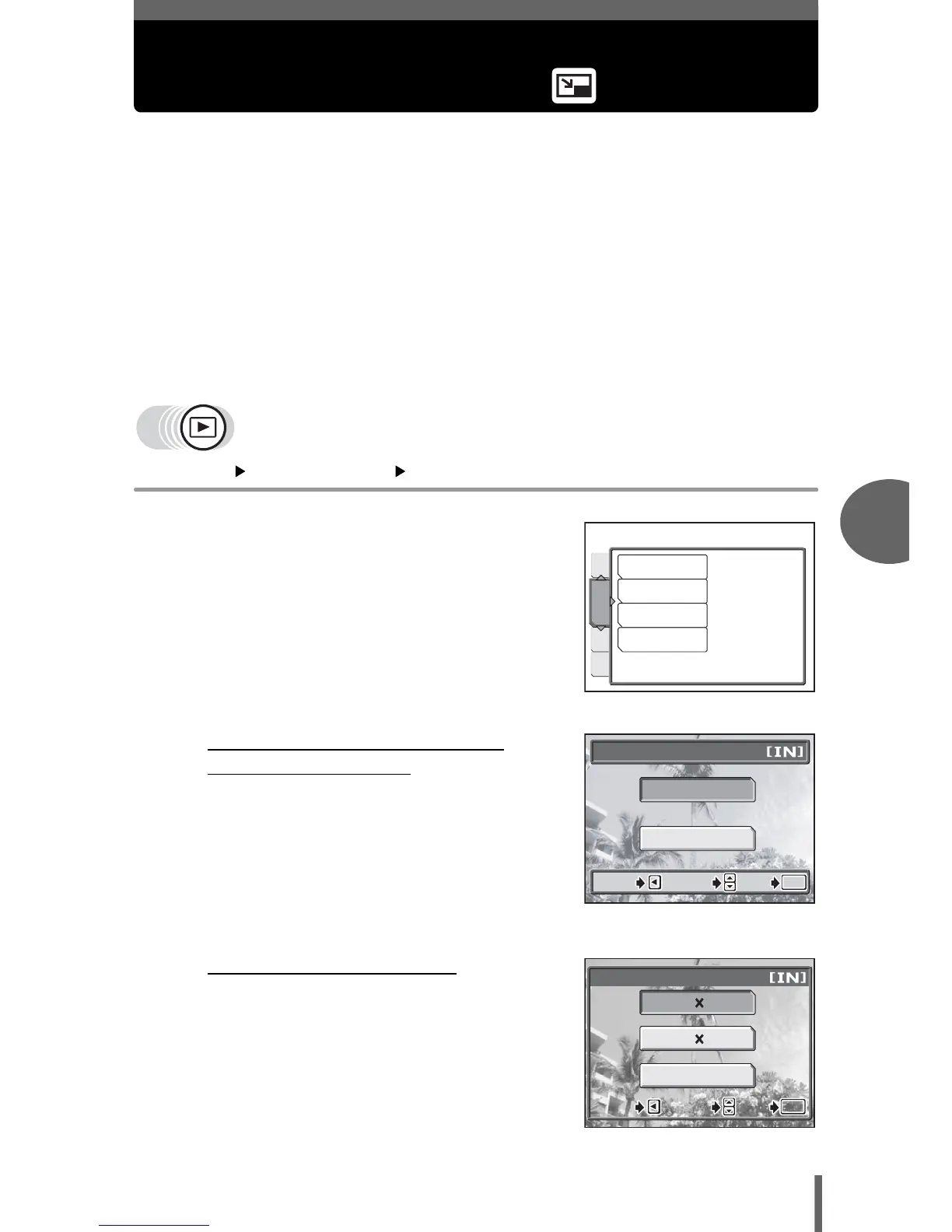
This function lets you edit still pictures and save them as new pictures. The
following editing operations are possible.
ADD FRAME This function lets you frame pictures with a frame of your choice
and saves them as new pictures.
BLACK & WHITE This function lets you save black & white versions of your
pictures.
SEPIA This function lets you save sepia versions of your pictures.
Q Changes the image size to 640 × 480 or 320 × 240 and saves
the picture as a new file.
Select the picture that you want to edit and display the top menu.
Top menu [MODE MENU] [EDIT] g“How to use the menus” (P. 16)
1 Select [ADD FRAME], [BLACK &
WHITE], [SEPIA], or [Q], and
press d.
2 • When [BLACK & WHITE] or
[SEPIA] is selected
Select [BLACK & WHITE] or [SEPIA],
and press
Z
.
• When [ ] is selected
Select an image size, and press Z.
MEM
PLAY
SET
ADD FRAME
BLACK & WHITE
SEPIA
Q
EDIT
BLACK & WHITE
BLACK & WHITE
CANCEL
SELECT







 To Next Page