57
EN
Shooting
2
*4 The record mode can be set.
g [n Specifi cation Settings] (P. 100)
• Depending on the type of card used, recording may end before the maximum length is
reached.
• Bit rate selection may be unavailable at some settings.
Using a fl ash ( Flash photography)
1
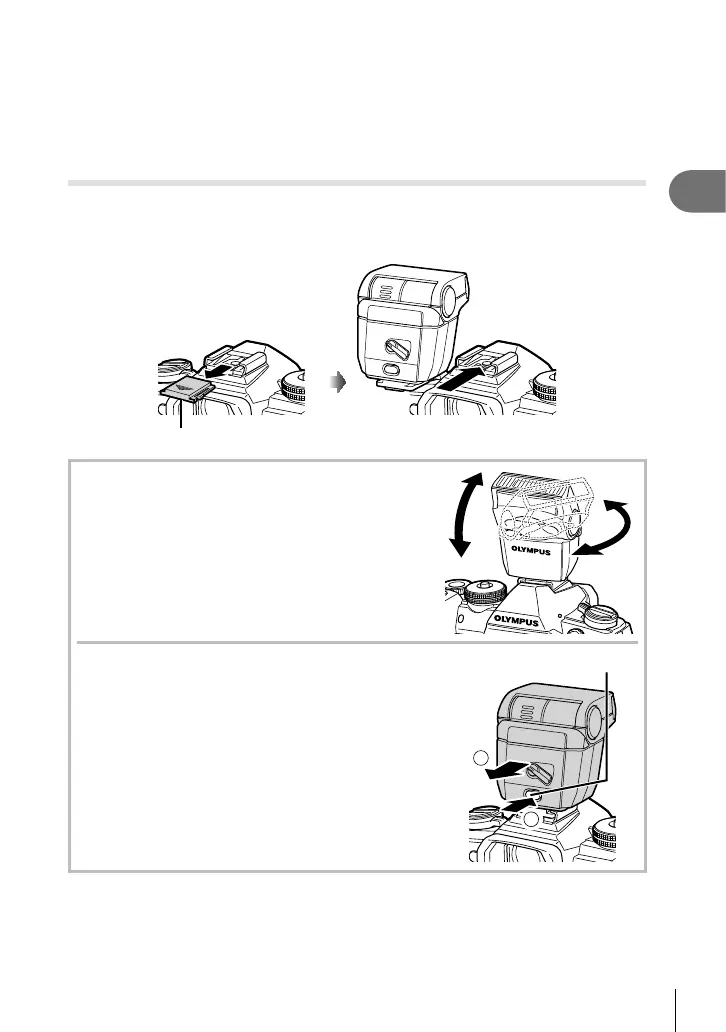
Remove the hot shoe cover and attach the fl ash to the camera.
• Slide the fl ash unit all the way in until it contacts the back of the shoe and is securely
in place.
Hot shoe cover
Changing orientation of the fl ash
You can change the vertical and horizontal orientation of
the fl ash unit. Bounce shooting is also possible.
• Note that when used for bounce photography the fl ash
may not fully illuminate the subject.
Removing the fl ash unit
Remove the fl ash unit while pressing the UNLOCK switch.
2
1
UNLOCK switch




 To Next Page