9
EN
Quick task index
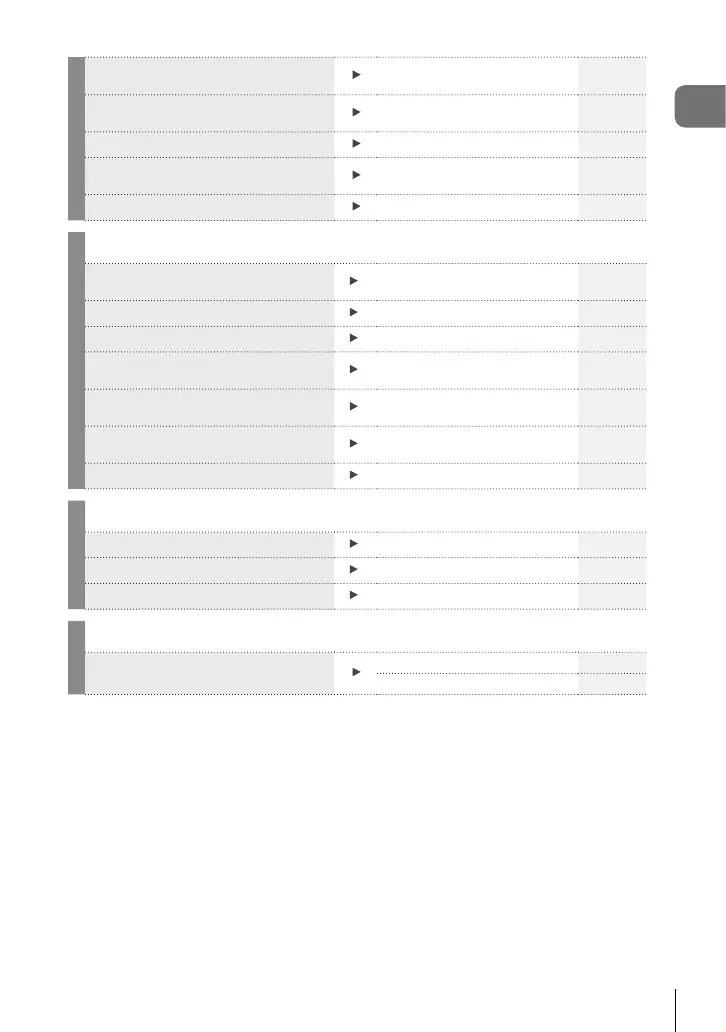
Shooting in a mode that is good for
image editing
n Picture Mode
( n Specifi cation Settings)
100
Recording audio using an external
recorder
Linking to external devices 104
Zooming in on photos to check focus
Auto
q
(Rec View)
109
Extending the useful life of the
battery
Quick Sleep Mode 122
Checking battery usage and status
Battery Status 122
Playback/Retouch
g
Shooting by outputting to the external
monitor
HDMI 117
Brightening shadows
Shadow Adj (JPEG Edit) 106
Dealing with red-eye
Redeye Fix (JPEG Edit) 106
Extracting still images from a 4K
movie
In-Movie Image Capture 107
Trimming unwanted sections of
movies
Movie Trimming 108
Transferring images to a smartphone
Transferring images to a
smartphone
136
Adding location data to images
Adding location data to images 137
Others
g
Saving the settings Assign to Custom Mode 87
Changing the menu display language
Changing the display language 109
Turning off the auto focus sound
Beep sound 117
Others - Basic Shooting
g
Taking pictures with the best fi nish/
Taking black and white pictures
Picture Mode 61, 88
Art Filter (ART) 33




 To Next Page