15
En
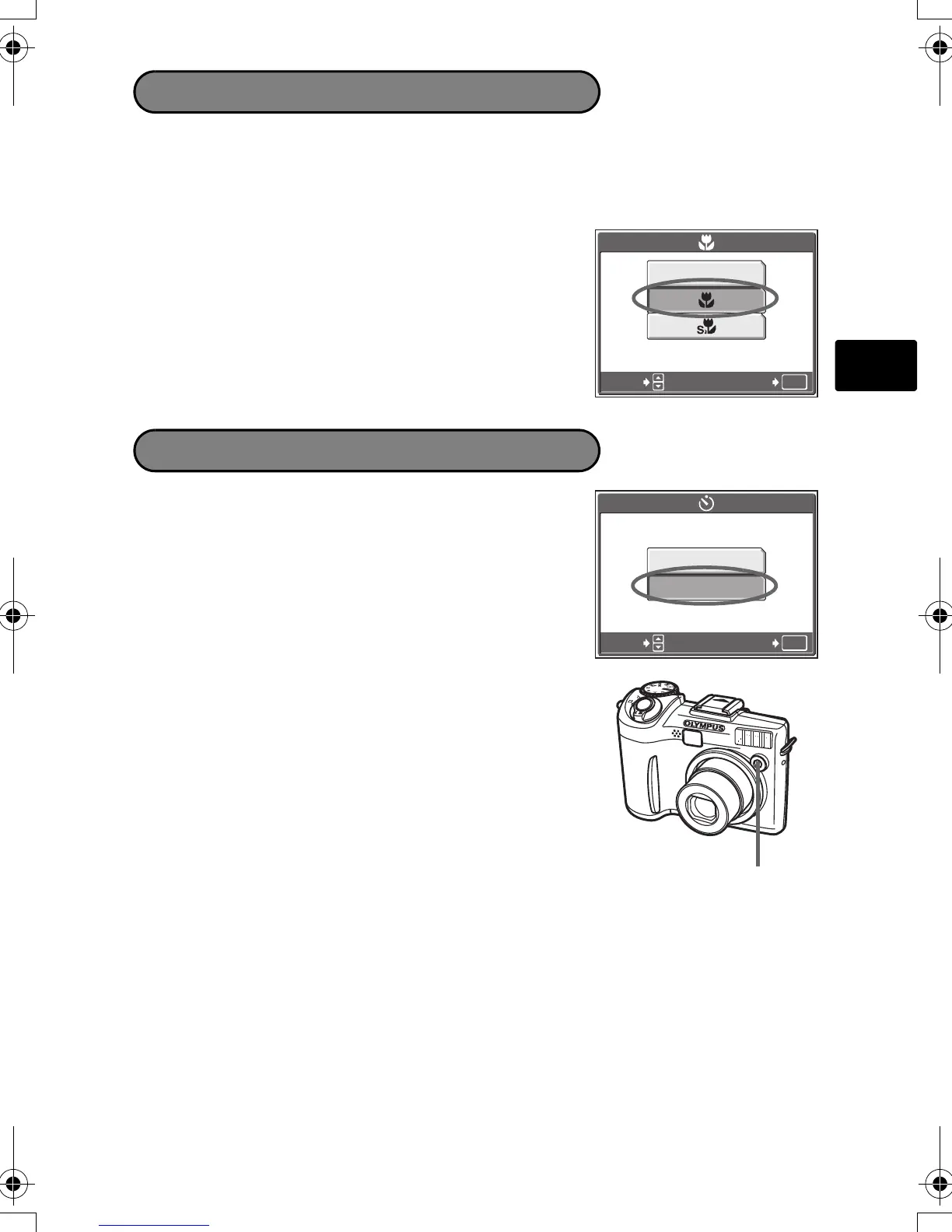
1 Press Z to display the top menu, and select
[&] > [&] or [%] and press Z.
1 Press Z to display the top menu, and select
[Y] > [ON] and press Z.
2 Press the shutter button fully to take the
picture.
The self-timer lamp lights for approximately 10
seconds after the shutter button is pressed, then
starts blinking. After blinking for approximately 2
seconds, the picture is taken.
& This mode lets you shoot from as close as 20 cm/7.9 in. to your subject (when the
optical zoom is at the greatest wide-angle).
% This mode lets you shoot from as close as 2 cm/0.8 in. to your subject.
Macro Mode
OK
OFFOFF
GO
SELECT
Self-Timer
OK
OFF
ON
GO
SELECT
Self-Timer Lamp
d4268_69_oima_e_basic_00_bookfile_7.book Page 15 Friday, August 5, 2005 4:21 PM


 To Next Page