32
EN
: A
Movies
Submenu 1 Submenu 2 Application
IMAGE SIZE
C (640×480)
Image size is set to 640x480. This will be played back in a full screen.
E (320×240)
Image size is set to 320x240.
FRAME RATE
N 30fps
*1
Provides smoother video images. Shoots with image quality as the priority.
O 15fps
*1
Provides standard video images. Shoots with movie length as the priority.
*1
frames per second
“Number of storable pictures (still pictures)/recording length (movies) in the internal memory
and xD-Picture Card” (p.79)
Adjusting image color [WB]
K CAMERA MENU X WB
:
P A S M
r
s A
Submenu 2 Submenu 3 Application
AUTO —
The camera automatically adjusts the white balance according
to the shooting scene.
PRESET
5
For shooting outdoors under a clear sky
3
For shooting outdoors under a cloudy sky
1
For shooting under tungsten lighting
w
For shooting under daylight fluorescent lighting (household
lighting, etc.)
x
For shooting under neutral fluorescent lighting (desk lamps,
etc.)
y
For shooting under white fluorescent lighting (offices, etc.)
V(One-touch WB)
(Proceed to the setting
screen.)
For setting a more precise white balance than preset white
balance, [AUTO] or [PRESET].
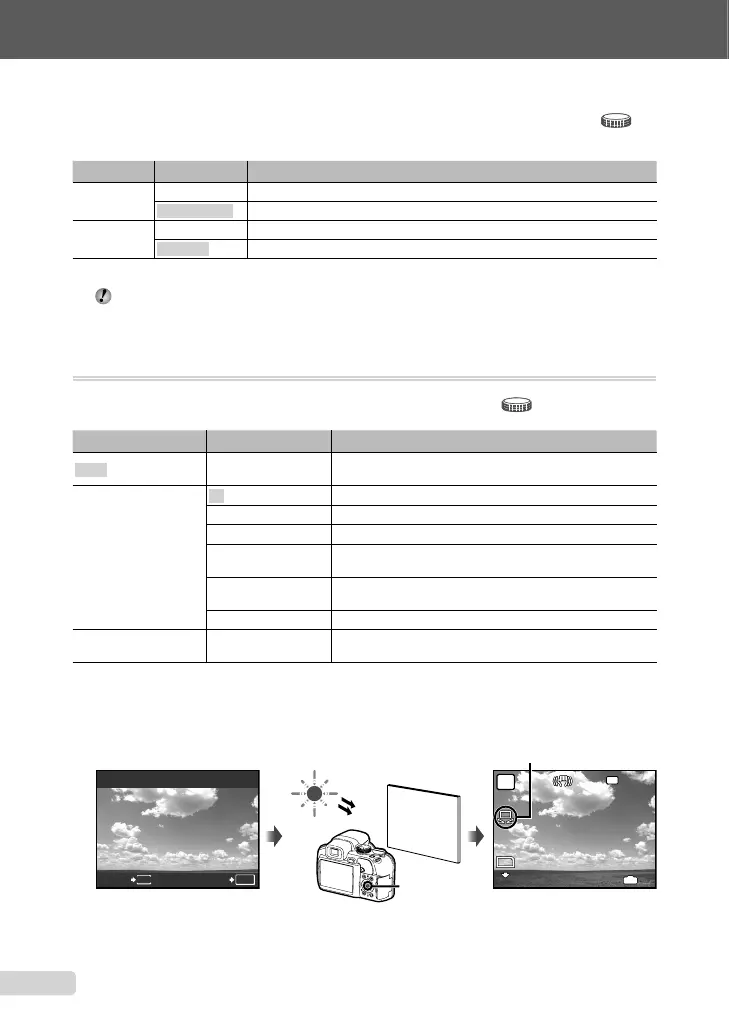
To set the One-touch WB
Select [V], and aim the camera at a sheet of white paper which fi lls the screen, making sure
there are no shadows, and then press the o button.
Setting screen
MENU
ONE TOUCH WB
BACK SET
OK
1/400
F3.5
P
4
IN
N
ORM
10
M
NR
o button
Standby mode screen
One-touch WB icon
book_d4374_en.indb 32book_d4374_en.indb 32 18/07/2008 13:39:1618/07/2008 13:39:16






 To Next Page