32
EN
L
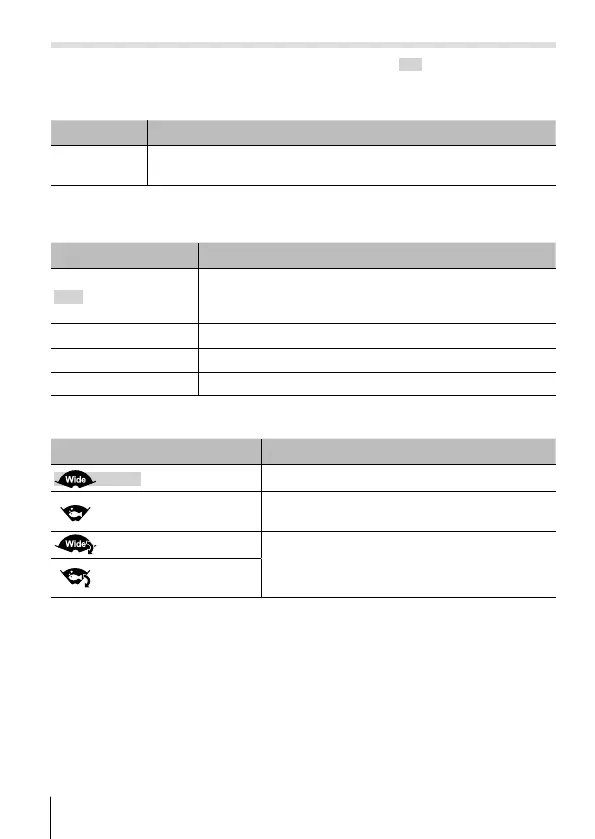
TIME LAPSE (Time-Lapse Movie) Menu
• The default settings of the function are highlighted in .
Adjusting overall brightness (exposure compensation) F [+/-]
Submenu 2 Application
–2.0 to +2.0
Set a larger negative (–) value to adjust darker, or a larger
positive (+) value to adjust brighter.
Adjusting colors according to lighting conditions
w
[WB]
Submenu 2 Application
Auto
The camera automatically adjusts the white balance.
[
Z
] (underwater auto) is selected automatically when
the camera is under water.
Z
(Underwater
auto
)
Suitable for underwater shooting.
5
(Sunny)
Suitable for shooting outdoors under a clear sky.
g (Cloudy) Suitable for shooting outdoors under a cloudy sky.
Choosing a field of view
F
[Field of View]
Submenu 2 Application
(Wide) Choose this option in most situations.
(Underwater wide)
Use for underwater use. The field of view is
optimized for the underwater lens protector.
(Flipped wide-angle)
The image is rotated 180°. Sound is also
recorded with left and right reversed.
(Underwater flipped
wide-angle)
• Be sure to use the underwater lens protector when using the camera under
water (P. 60).




 To Next Page