4
EN
Preparations for shooting
Inserting and removing the battery and card
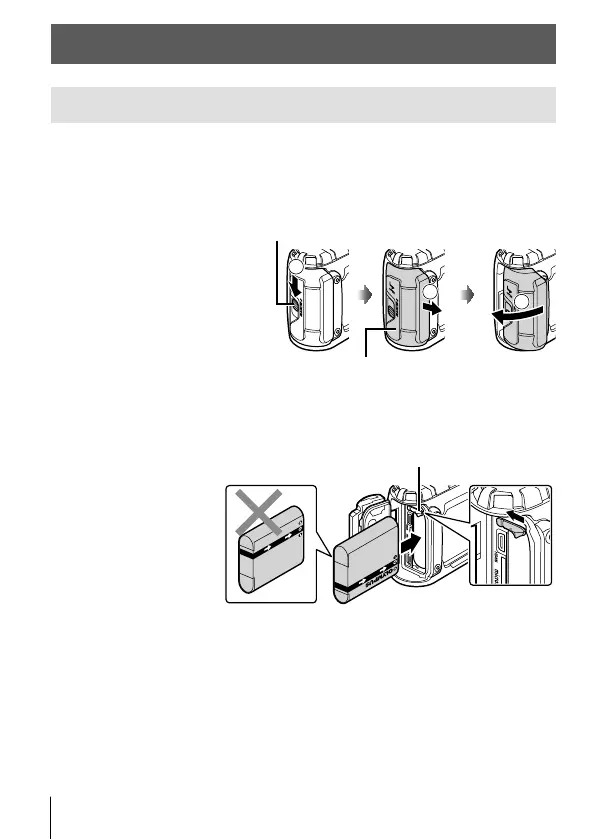
1
Keeping the battery/card compartment/connector cover latch
pressed (1), open the battery/card compartment/connector
cover (2, 3).
• When opening or
closing the battery/card
compartment/connector
cover, be sure the power
switch is in the OFF
position.
Battery/card compartment/
connector cover
Battery/card compartment/
connector cover latch
1
3
2
2
Insert the battery while sliding the battery lock knob in the
direction of the arrow.
• Insert the battery
as illustrated
with the m
mark toward
the battery lock
knob.
Battery lock knob
• If you insert the battery in the wrong direction, the camera is not turned
on. Be sure to insert it in the correct direction.
• Slide the battery lock knob in the direction of the arrow to unlock, and
then remove the battery.




 To Next Page