20
EN
Basic photography
2
Shooting in scene mode
1
Rotate the mode dial to SCN.
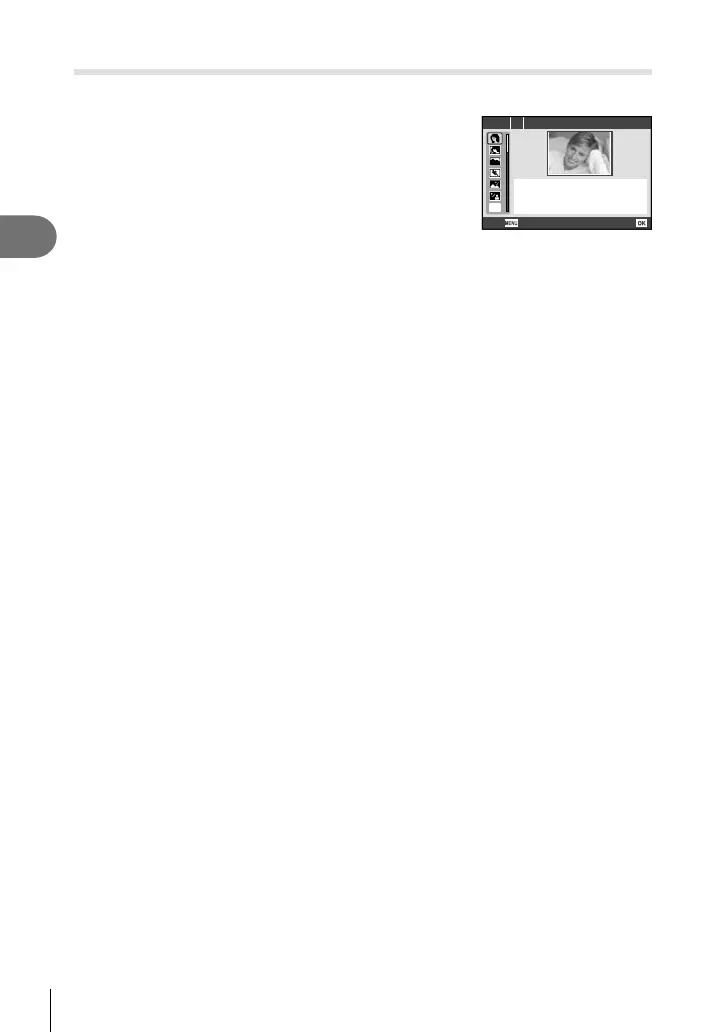
• A menu of scene menu will be displayed. Select a
scene using FG.
• Press Q or press the shutter button halfway to
change to the live view display. Press Q to go
back to the scene menu display.
SCN 1
R
Portrait
Exit
Set
Types of scene modes
O Portrait s Panorama (P. 21)
P e-Portrait
(
Fireworks
L Landscape 0 Multi. Exposure
J
Sport g Beach & Snow
G Night Scene
Y
Underwater Wide
U Night+Portrait
X
Underwater Macro
R Sunset
Backlight HDR
T Documents
2
Shoot.
• To choose a different setting, press Q to display the scene menu.
# Cautions
• In [e-Portrait] mode, two images are recorded: an unmodifi ed image and a second image
to which [e-Portrait] effects have been applied. The unmodifi ed image is recorded using
the option currently selected for image quality, the modifi ed copy at an image quality of
JPEG (X-quality (2560 × 1920)).
• Effects of some scene modes are not applied in recording movies.



 To Next Page