I.-~W~
11It\UiI
l
~:;:;::;~~~
@
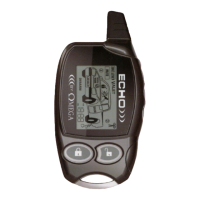
The 5th Button: The Echo transceiver has a fifth button, not found on the I-way transmitter,
which is the "Programming" button. In regularuse, pressing and releasing this buttonwill illuminate
the Echo's LCD screen for
10
seconds. In other use, the Programming button is used to change
several customizable features.
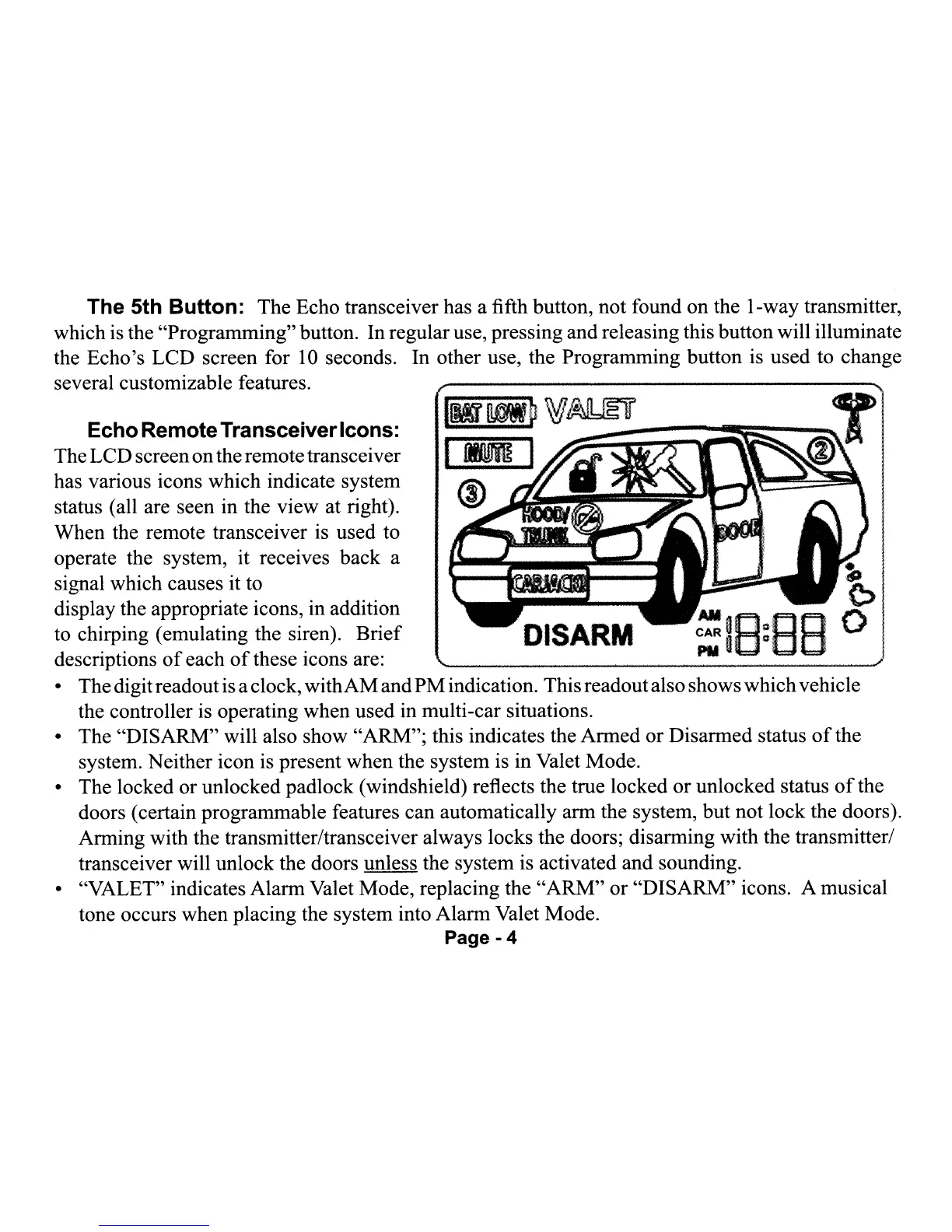
EchoRemoteTransceiverIcons:
TheLCDscreenontheremotetransceiver
has various icons which indicate system
status (all are seen in the view at right).
When the remote transceiver is used to
operate the system, it receives back a
signal which causes it to
display the appropriate icons, in addition
to chirping (emulating the siren). Brief
descriptions
of
each
of
these icons are:
• Thedigitreadoutis aclock, withAMandPMindication. Thisreadoutalso showswhichvehicle
the controller is operating when used in multi-car situations.
• The "DISARM" will also show "ARM"; this indicates the Armed or Disarmed status
of
the
system. Neither icon is present when the system is in Valet Mode.
• The locked or unlocked padlock (windshield) reflects the true locked or unlocked status
of
the
doors (certain programmable features can automatically arm the system, but not lock the doors).
Arming with the transmitter/transceiver always locks the doors; disarming with the transmitter/
transceiver will unlock the doors unless the system is activated and sounding.
• "VALET" indicates Alarm Valet Mode, replacing the
"ARM"
or "DISARM" icons. A musical
tone occurs when placing the system into Alarm Valet Mode.
Page - 4
I.-~W~
11It\UiI
l
~:;:;::;~~~
@
The 5th Button: The Echo transceiver has a fifth button, not found on the I-way transmitter,
which is the "Programming" button. In regular use, pressing and releasing this button will illuminate
the Echo's LCD screen for
10
seconds. In other use, the Programming button is used to change
several customizable features.
EchoRemoteTransceiverIcons:
TheLCDscreenontheremotetransceiver
has various icons which indicate system
status (all are seen in the view at right).
When the remote transceiver is used to
operate the system, it receives back a
signal which causes it to
display the appropriate icons, in addition
to chirping (emulating the siren). Brief
descriptions
of
each
of
these icons are:
• Thedigitreadoutis aclock, withAMandPMindication. Thisreadoutalso showswhichvehicle
the controller is operating when used in multi-car situations.
• The "DISARM" will also show "ARM"; this indicates the Armed or Disarmed status
of
the
system. Neither icon is present when the system is in Valet Mode.
• The locked or unlocked padlock (windshield) reflects the true locked or unlocked status
of
the
doors (certain programmable features can automatically arm the system, but not lock the doors).
Arming with the transmitter/transceiver always locks the doors; disarming with the transmitter/
transceiver will unlock the doors unless the system is activated and sounding.
• "VALET" indicates Alarm Valet Mode, replacing the
"ARM"
or "DISARM" icons. A musical
tone occurs when placing the system into Alarm Valet Mode.
Page - 4


 To Next Page
 Loading...