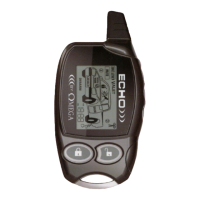
• The "transmitting tower" icon is an in-range indicator.
It
is present as long as the ECHO
receives responses from the host system.
• The various lines at the upper rear
of
the vehicle graphic represent a unique Omega feature
which allows the user to customize the vehicle type represented by the display. Options are:
passenger car, pickup truck, and SUV/van. This can be set independantly for
CARl
or 2 in
multi-car situations.
• MULTI-CAR
SELECTION:
Press "P" and "LOCK" for 1 second to select
CARl.
Press
"P"
and "UNLOCK" for 1 second to select CAR2.
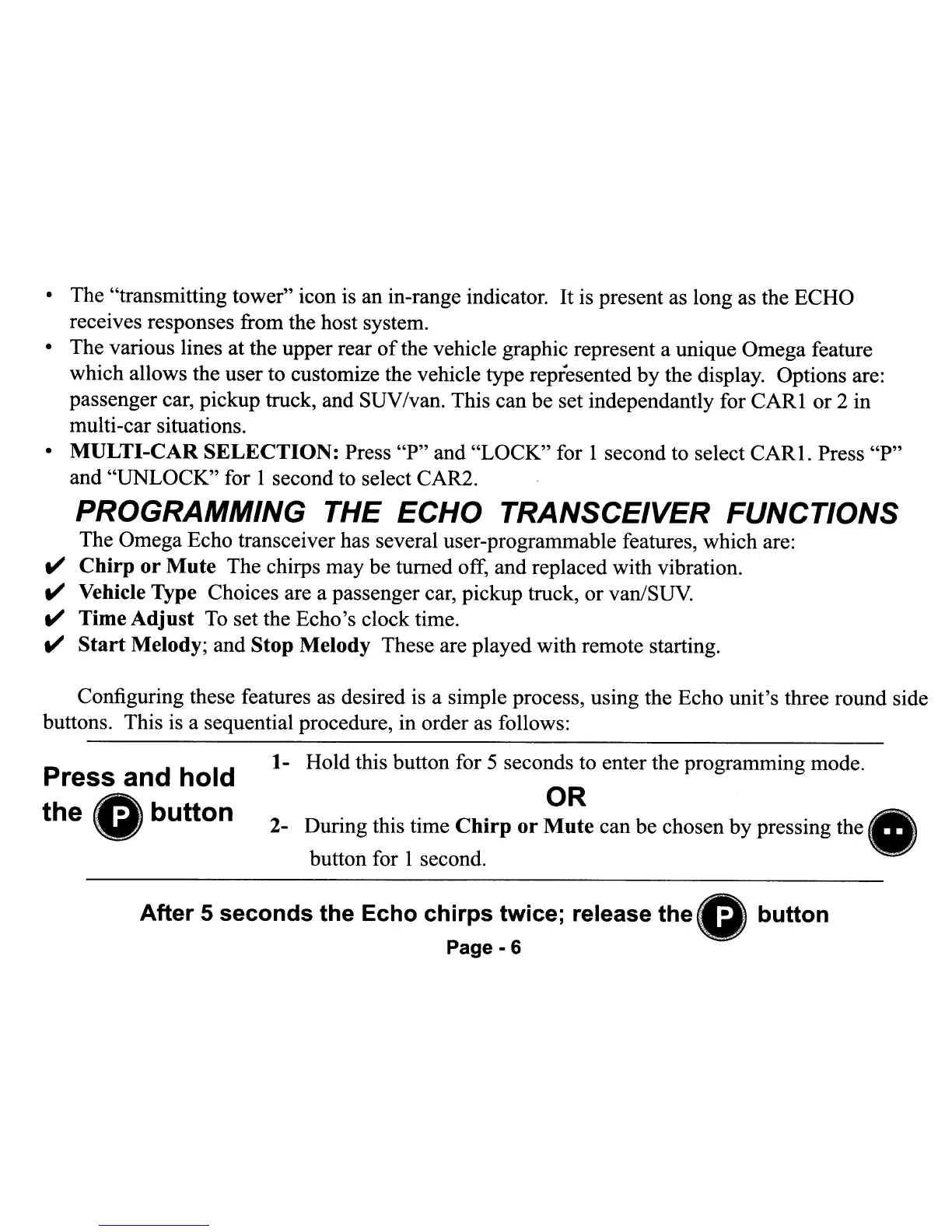
PROGRAMMING THE ECHO TRANSCEIVER FUNCTIONS
The Omega Echo transceiver has several user-programmable features, which are:
II'
Chirp
or
Mute
The chirps may be turned off, and replaced with vibration.
II'
Vehicle Type Choices are a passenger car, pickup truck, or van/SUV.
II'
Time
Adjust
To
set the Echo's clock time.
t!'
Start
Melody; and Stop Melody These are played with remote starting.
OR
2- During this time
Chirp
or
Mute
can be chosen by pressing the
button for 1 second.
Configuring these features as desired is a simple process, using the Echo unit's three round side
buttons. This
is
a sequential procedure, in order as follows:
1- Hold this button for 5 seconds to enter the programming mode.
Press and
hold
the
Gbutton
After
5
seconds
the
Echo
chirps
twice;
release
the
...
Page - 6
button
• The "transmitting tower" icon is an in-range indicator.
It
is present as long as the ECHO
receives responses from the host system.
• The various lines at the upper rear
of
the vehicle graphic represent a unique Omega feature
which allows the user to customize the vehicle type represented by the display. Options are:
passenger car, pickup truck, and SUV/van. This can be set independantly for
CARl
or 2 in
multi-car situations.
• MULTI-CAR
SELECTION:
Press "P" and "LOCK" for 1 second to select
CARl.
Press
"P"
and "UNLOCK" for 1 second to select CAR2.
PROGRAMMING THE ECHO TRANSCEIVER FUNCTIONS
The Omega Echo transceiver has several user-programmable features, which are:
II'
Chirp
or
Mute
The chirps may be turned off, and replaced with vibration.
II'
Vehicle Type Choices are a passenger car, pickup truck, or van/SUV.
II'
Time
Adjust
To
set the Echo's clock time.
t!'
Start
Melody; and Stop Melody These are played with remote starting.
OR
2- During this time
Chirp
or
Mute
can be chosen by pressing the
button for 1 second.
Configuring these features as desired is a simple process, using the Echo unit's three round side
buttons. This
is
a sequential procedure, in order as follows:
1- Hold this button for 5 seconds to enter the programming mode.
Press and
hold
the
Gbutton
After
5
seconds
the
Echo
chirps
twice;
release
the
...
Page - 6
button


 To Next Page
 Loading...