Page 22 www.ctmmixers.com
Omnex Controller Reset
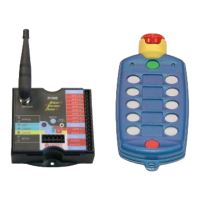
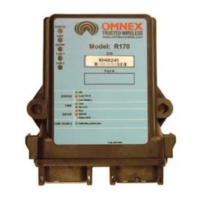
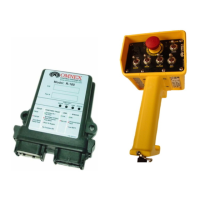
Resetting a R160 receiver for a new T110 transmitter code.
Before starting this procedure, remove the R160 “board ” from the case. Release the clip
on either side with a at blade screwdriver and pull down. Keep the receiver connected
to the truck power.
1.PoweruptheReceiver.e(E-Stop)lightandthe(Link)lightwillcomeonred
(providedtheTransmitteriso),andthe(Status)lightwillcomeongreen.
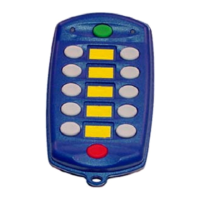
2.TurnontheTransmitterbypressingandholdingthered[E-Stop]buttonandthe
green[Power]button,andthenreleasingrstthered[E-Stop]buttonandthenthe
green[Power]button.iswillpoweruptheTransmitterintoDownloadMode.e
yellow (Active) light will begin ashing slowly (once per second).
3.Pressandholdthe[SETUP]button(yellowbuttononlesidejustabovethele
connector)ontheReceiver.e(Status)light(farrightLED-Green)willashslowly.
Continuetoholdthe[SETUP]button(approximately5seconds)untilthe(Status)light
starts ashing rapidly and then release; it will now remain on steady. NOTE: If le idle
inSetupModeforover30seconds,theReceiverwilltimeout,indicatedbythered
(Status)lightashingrapidly.ToreturntoSetupMode,repeatstep3.
4.Pressandreleasethegreen[Power]buttonontheTransmittertostartsendingthe
IDCodetotheReceiver.OntheTransmitter,thered(Battery)lightwillcomeonand
the yellow (Active) light will ash rapidly; on the Receiver, the (Link) light will become
green.OncetheIDCodehasbeendownloaded,thered(Battery)lightandtheyellow
(Active) light on the Transmitter will go out. e (Link) light on the Receiver will
change from green to red.
( Picture on next page )



 To Next Page

 General