10356610_V_1_0.DOC
17/23
DESCRIPTION
Features
The digital vocal processor
• Vocal processor for processing different signal settings
• Signal connection via 3 independent microphone inputs
• Gain-control per microphone channel
• Parametric 5-band EQ
• Subwoofer output
• Six different harmony modes: 3-parts Harmony, Melody, Relative, Vocoder, Male lead, Female Lead
• Seven different effect modes: Hall, Room, Plate, Stereo, Mono, Stereo Echo & Reverb, Mono Echo &
Reverb
• Individual settings can be memorized and quickly be called up
The OMNITRONIC Voice processor is designed for professional application. The inputs and outputs are
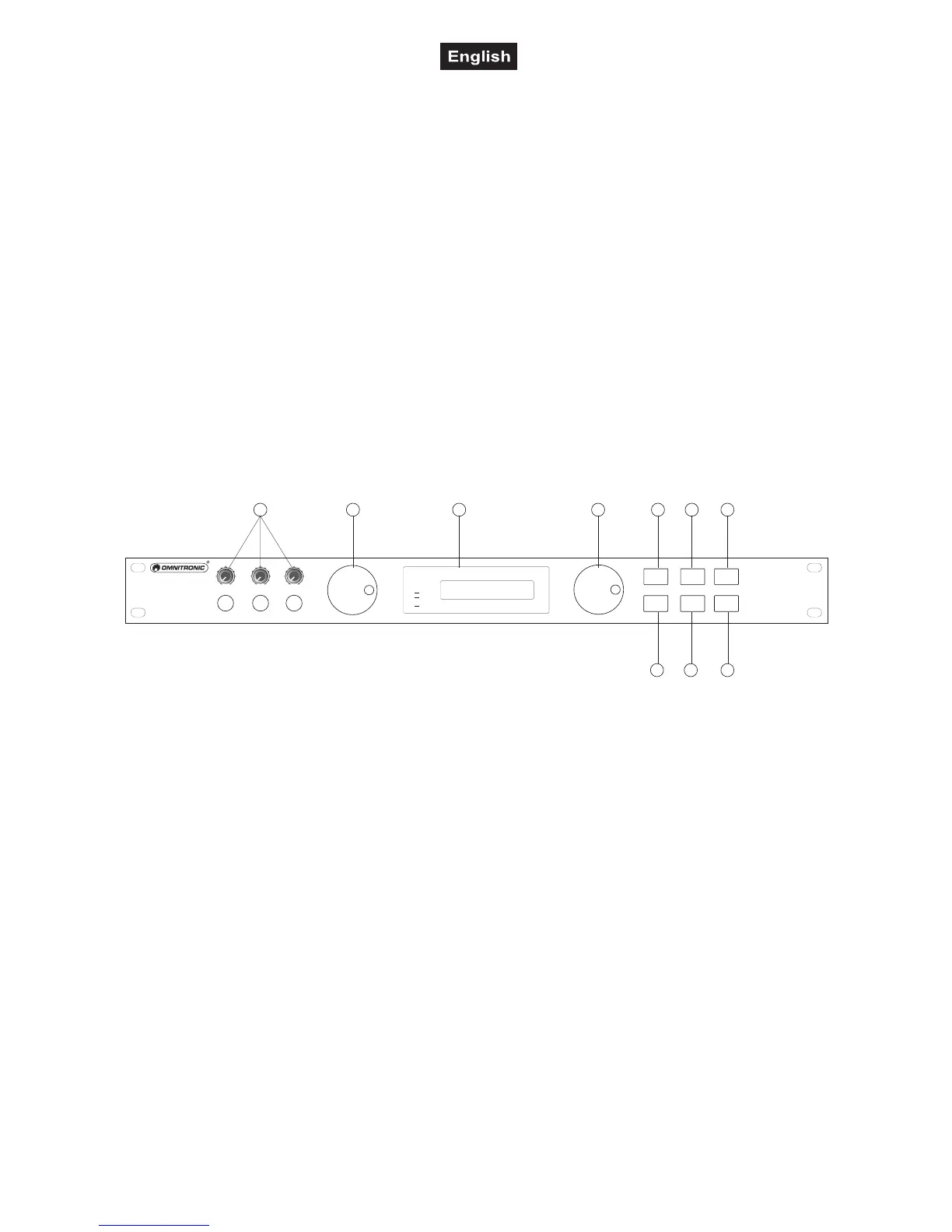
located on the rear panel, the gain controls on the front panel.
The OMNITRONIC DVP-36 is equipped with ¼“ input and output jacks.
Frontpanel
R
L
SUB
MIC
CLIP
AUX
DVD
BGM
PROFESSIONAL DIGITAL AUDIO SYSTEM
DVP-36 DIGITAL VOCAL PROCESSOR
DVP-36
PRAMETER / PUSH
PRAMETER / PUSH
EDIT A
EDIT B
MASTER
PEQ
BYPASS
PROGRAM
COMPRESSOR
STORE
RESET
LOCK
MIDI
DIGITAL SERIES
VOCAL PROCESSOR
010
MIC 3
010
MIC 2
010
MIC 1
76
5
43
10
8
9
21
1) Mic Inputs with Gain-control
2) Edit A-wheel
For adjusting the parameters MIC. Turning this wheel to the right increases the parameter value and turning
it to the left decreases them.
3) LCD DISPLAY
To display functions and operating status.
4) Edit B-wheel
For adjusting the parameters MUSIC. Turning this wheel to the right increases the parameter value and
turning it to the left decreases them.
5) Master-button
6) PEQ-button
7) BYPASS BUTTON
This switch allows instant comparison of the original sound with the equalized sound.
8) Program/Reset-button
9) Compressor/Lock-button
10) Store/Midi-button



 To Next Page